Repository navigation
Tree-shaking for production build is not working properly #4137
Description

Bug, feature request, or proposal:
The production bundle size is not shrinking
What is the expected behavior?
Base on the new package structure the production bundle (ng build --prod) should not have included all the Material Components Module
What is the current behavior?
Base on the change log now we should create our own Custom MaterialModule, in my case I have this one:
import { NgModule } from '@angular/core';
import {
    MdCardModule,
    MdChipsModule,
    MdToolbarModule,
    MdButtonModule,
    MdSidenavModule,
    MdRippleModule,
    MdIconModule,
    MdListModule,
    MdProgressSpinnerModule,
} from '@angular/material';

@NgModule({
    imports: [
        MdCardModule,
        MdChipsModule,
        MdToolbarModule,
        MdButtonModule,
        MdSidenavModule,
        MdRippleModule,
        MdIconModule,
        MdListModule,
        MdProgressSpinnerModule,
    ],
    declarations: [

    ],
    providers: [

    ],
    exports: [
        MdCardModule,
        MdChipsModule,
        MdToolbarModule,
        MdButtonModule,
        MdSidenavModule,
        MdRippleModule,
        MdIconModule,
        MdListModule,
        MdProgressSpinnerModule,
    ]
})
export class CustomMaterialModule { }
that is imported in the AppModule.
Even if I remove all the module and import only, for example, MdButtonModule, the size of material library in the production vendor.js still 308Kb
Which versions of Angular, Material, OS, browsers are affected?
@angular/cli: 1.0.0
node: 7.9.0
os: linux x64
@angular/animations: 4.0.1
@angular/common: 4.0.1
@angular/compiler: 4.0.1
@angular/core: 4.0.1
@angular/forms: 4.0.1
@angular/http: 4.0.1
@angular/material: 2.0.0-beta.3
@angular/platform-browser: 4.0.1
@angular/platform-browser-dynamic: 4.0.1
@angular/router: 4.0.1
@angular/cli: 1.0.0
@angular/compiler-cli: 4.0.1
Is there anything else we should know?
This is the vendor sourcemap generated by source-map-explorer

Activity
devversion commentedon Apr 18, 2017
Yeah I experienced the same issue when testing Material with Webpack 2.
I've been talking to some people about this and it looks like this happens due to missing
@__PURE__annotations in the FESM bundles on IIFEs.jelbourn commentedon Apr 18, 2017
Yep, just spent a while talking about this with the rest of the Angular core team. The gist is that the new packing structure doesn't work out of the box with how webpack tries to eliminate dead code. We're working on a solution and will publish a beta.4 as soon as we have a good approach.
dahaupt commentedon Apr 18, 2017
Do we even have to import the single Modules into our CustomMaterialModule? I just exported them and everything seems to work fine.
My CustomMaterialModule:
kuncevic commentedon May 3, 2017
Just created a custom material module thinking to reduce the bundle size
Didn't work still getting same material size
741.28 kb. So currently no difference if I am importing my custom module orMaterialModuleLooking forward to
bata.4handling that case.fknop commentedon May 13, 2017
Has this issue been fixed with beta.4 ?
karolmie1 commentedon May 13, 2017
@fknop I've noticed some decrease in size, but not enough.
kuncevic commentedon May 15, 2017
@fknop @karolmie1 for me it is just got increased:
was:
741.2kkb60.03gzipednow
850.19kb69.11kb gzipedAnd I am just importing my custom module #4137 (comment)
paulogr commentedon May 15, 2017
Love to see that working!
jelbourn commentedon May 15, 2017
We're working on it (experiment 1, experiment 2), but getting it to "just work" with existing tooling is somewhat tricky and we're still working out the approach.
fetters5 commentedon Jun 2, 2017
Any updates on a timeline for this by chance?
jelbourn commentedon Jun 2, 2017
@IgorMinar and @kara are actively working on it.
29 remaining items
CardzMania commentedon Oct 13, 2017
We still see material.es5.js + 19 modules in our project

"@angular/material": "^2.0.0-beta.12",
Any ideas what we can do to get rid of this or how to debug whats going on?
aitboudad commentedon Oct 13, 2017
@CardzMania just avoid importing modules from
@angular/material:Before:
After:
CardzMania commentedon Oct 13, 2017
Ohhh, thanks for the quick reply, let me try that. Must have missed it in the comments :(
CardzMania commentedon Oct 13, 2017
Great, that worked! Had a hiccup along the way and noting here for others, just changing modules is not enough. Do remember to change all imports also:
Before:
import { MatDialogRef } from '@angular/material';After
import { MatDialogRef } from '@angular/material/dialog';Search for
from '@angular/material'and just get rid of it!daniele-pecora commentedon Oct 15, 2017
Can confirm this
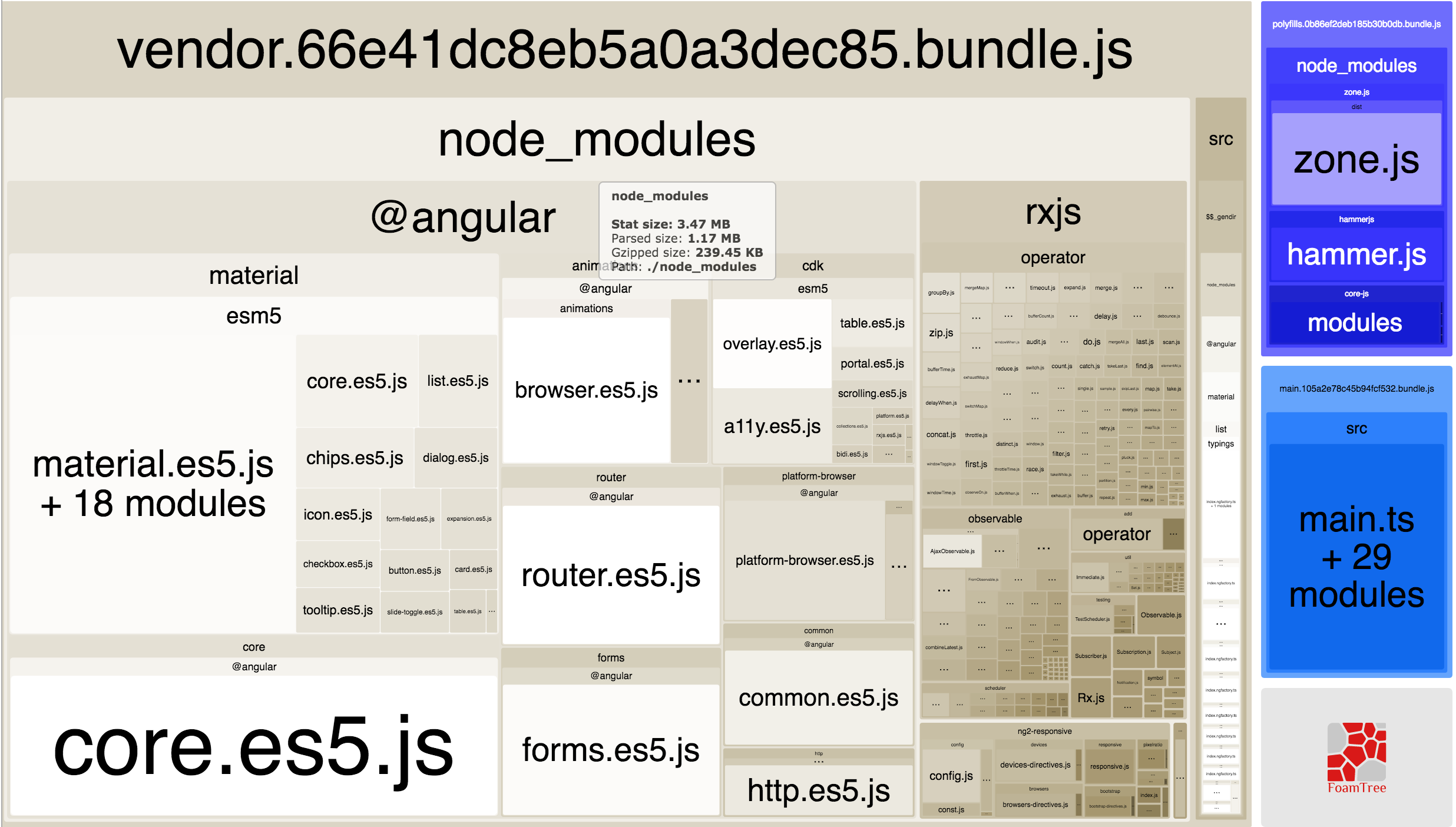
Viewings from the webpack-bundle-analyzer
Before
After

Lakston commentedon Dec 12, 2017
Has this been fixed ? Because I am importing from
@angular/materialand the tree shaking is working properly :oliveti commentedon Dec 12, 2017
Hi,
@Lakston, you can see all the modules but tree shaking should strip out all unused modules.
If I want to make the tree shaking work as expected I have to import the sub-modules like this
import { MatDialogModule } from '@angular/material/dialog';Isn't anyway to make it work with importing
@angular/material?GeorgeKnap commentedon Dec 12, 2017
@oliveti I agree with @Lakston
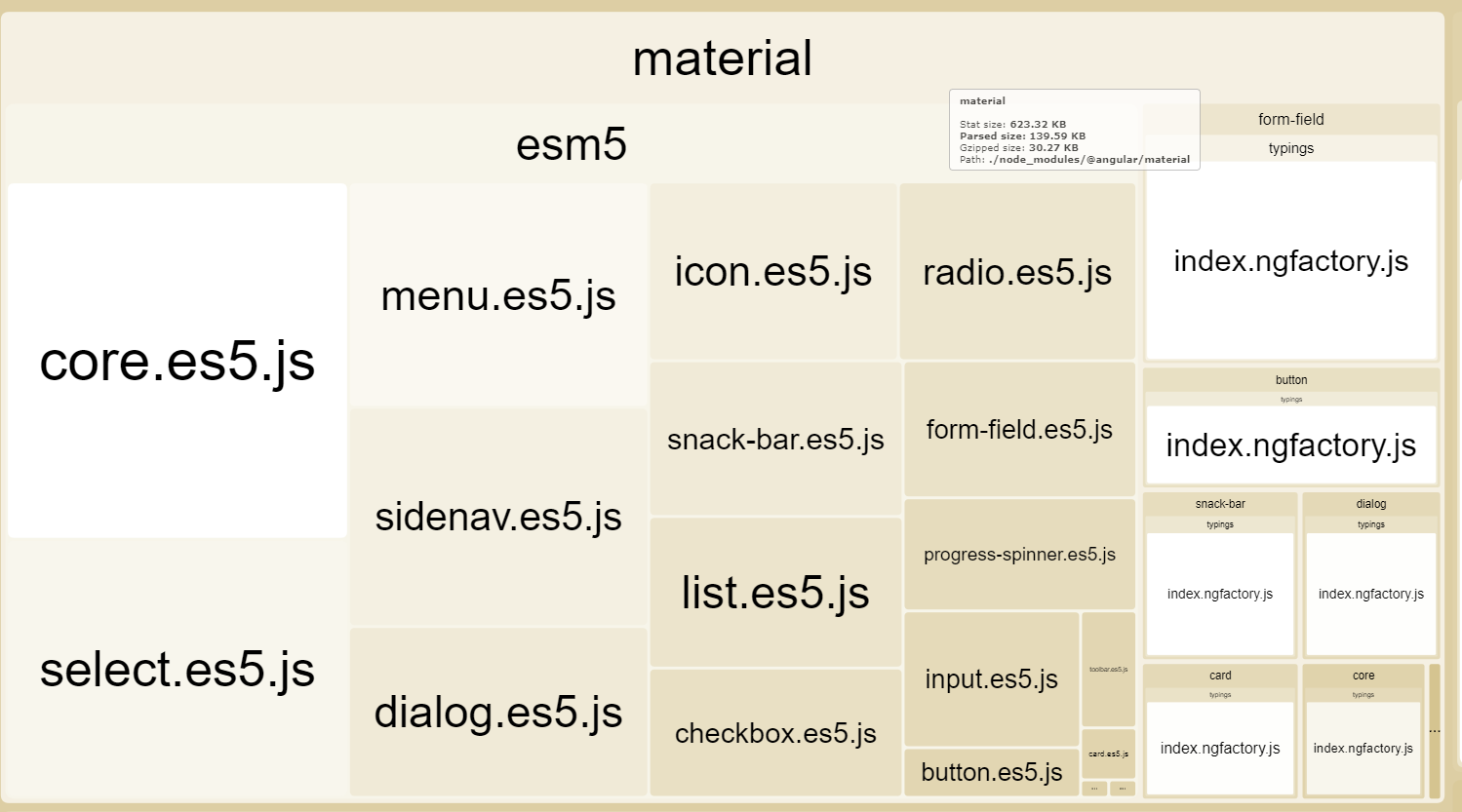

here are two of my projects. The first one uses imports from
@angular/materialthe second one uses imports only from specific submodules like@angular/material/dialog.Note the second one imports more modules -> it's bigger.
both contains only those modules imported in my custom
material.module.tswhich means the tree-shaking must be working ok in both of them.Correct me if I'm wrong.
versions:
shifatul-i commentedon Aug 21, 2018
Any update on this?
Looks bad

tom94zoe commentedon Nov 8, 2018
I think that the treeshaked prod bundle should not contain typings.
At least not such big files. My bundle size is 55kb gzipped, about 20kb of it are typings.
Please correct me If I am wrong.
I am using the '@angular/material' - import. Because the intelisense of current Web Storm version suggest it.
danielsuter commentedon Nov 24, 2018
Why is this issue closed? I still get a bundle size of 1.53mb unzipped. With the following dependencies:
devversion commentedon Nov 24, 2018
This is issue has been closed last year because we switched to the Angular package format that should have fixed this. If you are still seeing an issue in regards to tree-shaking, please open a new issue and maybe also use
source-map-explorer, so that we can see what's going on in your application.