Description
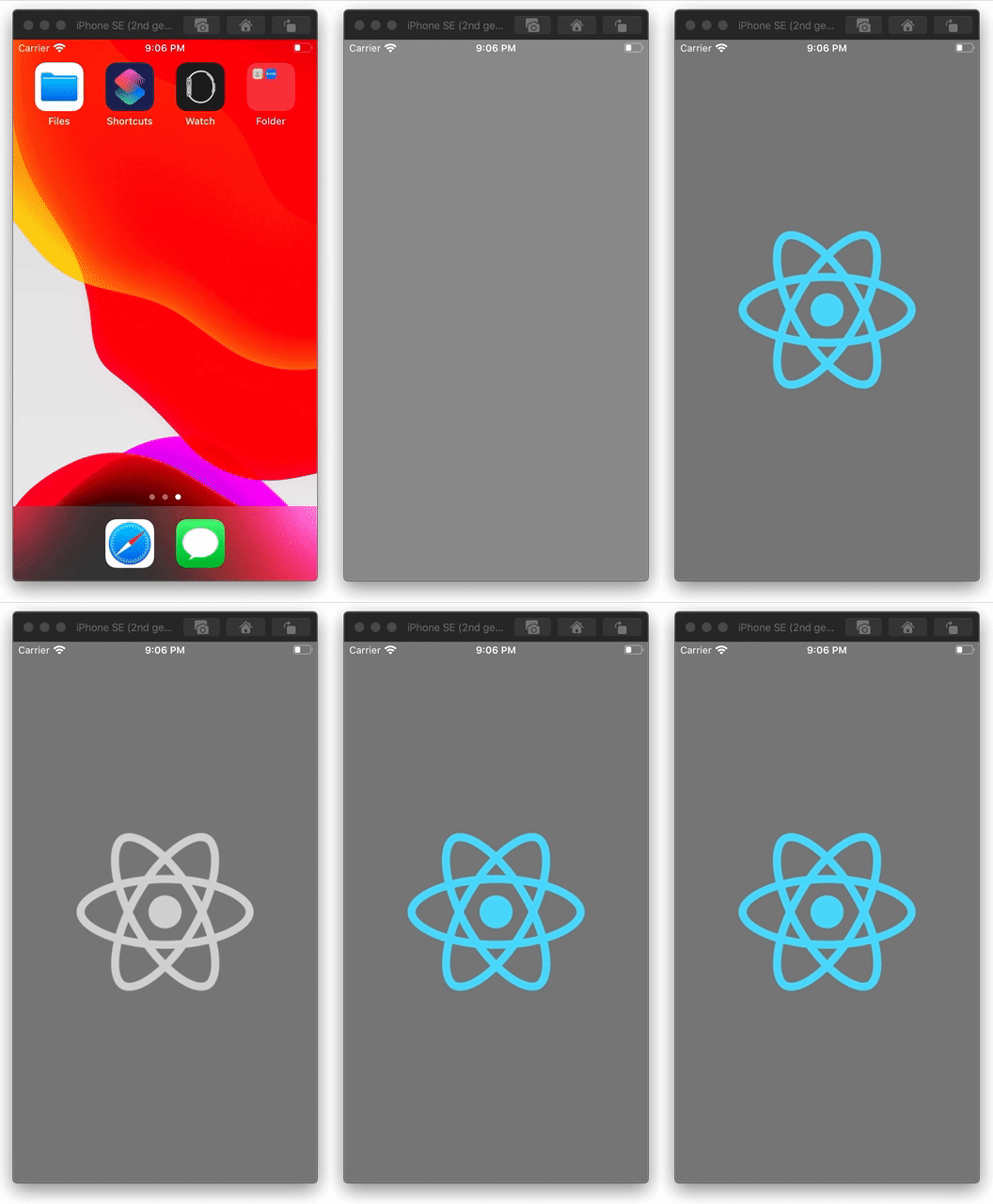
Since upgrading to react-native 0.63.1 (coming from v0.62.2) there is an issue on Android when subsequently applying & removing tintColor to an <Image>. When doing this on Android the rendered images disappears while on iOS it renders in the original color as expected. See gifs below.
React Native version:
System:
    OS: macOS 10.15.5
    CPU: (8) x64 Intel(R) Core(TM) i7-7820HQ CPU @ 2.90GHz
    Memory: 1.18 GB / 16.00 GB
    Shell: 5.7.1 - /bin/zsh
  Binaries:
    Node: 12.16.2 - /usr/local/bin/node
    Yarn: 1.22.0 - /usr/local/bin/yarn
    npm: 6.14.6 - /usr/local/bin/npm
    Watchman: 4.9.0 - /usr/local/bin/watchman
  Managers:
    CocoaPods: 1.9.3 - /Users/mattijs/.rbenv/shims/pod
  SDKs:
    iOS SDK:
      Platforms: iOS 13.5, DriverKit 19.0, macOS 10.15, tvOS 13.4, watchOS 6.2
    Android SDK:
      API Levels: 25, 26, 27, 28, 29
      Build Tools: 27.0.3, 28.0.3, 29.0.0, 29.0.0, 29.0.0, 29.0.2, 29.0.3
      System Images: android-21 | Intel x86 Atom_64, android-21 | Google APIs Intel x86 Atom_64, android-22 | Intel x86 Atom_64, android-24 | Intel x86 Atom, android-24 | Google Play Intel x86 Atom, android-25 | Google Play Intel x86 Atom, android-26 | Google Play Intel x86 Atom, android-28 | Intel x86 Atom_64, android-28 | Google APIs Intel x86 Atom, android-28 | Google Play Intel x86 Atom, android-29 | Intel x86 Atom_64, android-29 | Google APIs Intel x86 Atom, android-29 | Google APIs Intel x86 Atom_64
      Android NDK: Not Found
  IDEs:
    Android Studio: 4.0 AI-193.6911.18.40.6514223
    Xcode: 11.5/11E608c - /usr/bin/xcodebuild
  Languages:
    Java: 1.8.0_141 - /usr/bin/javac
    Python: 2.7.16 - /usr/bin/python
  npmPackages:
    @react-native-community/cli: Not Found
    react: 16.13.1 => 16.13.1
    react-native: 0.63.1 => 0.63.1
  npmGlobalPackages:
    *react-native*: Not Found
Steps To Reproduce
Provide a detailed list of steps that reproduce the issue.
- Load up an
<Image> component with some image
- Apply
tintColor style e.g tintColor: "lightgrey"
- Remove the
tintColor (e.g after some arbitrary delay)
Expected Results
After step 3 I expect the image to appear without any tintColor applied and being rendered with original colors. However on Android the image is no longer visible after step 3 while on iOS it renders correctly.
Code example
export default (): JSX.Element => {
  const [applyTint, setApplyTint] = useState(false)

  useEffect(() => {
    setTimeout(() => { setApplyTint(true) }, 2500)
    setTimeout(() => { setApplyTint(false) }, 5000)
  }, [])

  return (
    <View style={{ ...StyleSheet.absoluteFillObject, backgroundColor: "grey" }}>
      <Image
        source={{
          uri:
            "https://upload.wikimedia.org/wikipedia/commons/thumb/a/a7/React-icon.svg/440px-React-icon.svg.png",
        }}
        resizeMode="contain"
        style={[StyleSheet.absoluteFill, applyTint ? { tintColor: "lightgrey" } : {}]}
      />
    </View>
  )
}
Screenshot
Expected behavior: Launch > Original Logo (2.5s) > Tinted Grey Logo(2.5s) > Original Logo (2.5s)
iOS (Good)
Android (Broken)

Description
Since upgrading to react-native 0.63.1 (coming from v0.62.2) there is an issue on Android when subsequently applying & removing
tintColorto an<Image>. When doing this on Android the rendered images disappears while on iOS it renders in the original color as expected. See gifs below.React Native version:
Steps To Reproduce
Provide a detailed list of steps that reproduce the issue.
<Image>component with some imagetintColorstyle e.gtintColor: "lightgrey"tintColor(e.g after some arbitrary delay)Expected Results
After step 3 I expect the image to appear without any
tintColorapplied and being rendered with original colors. However on Android the image is no longer visible after step 3 while on iOS it renders correctly.Code example
Screenshot
Expected behavior: Launch > Original Logo (2.5s) > Tinted Grey Logo(2.5s) > Original Logo (2.5s)
iOS (Good)
Android (Broken)