Repository navigation
corrupted display with kms/drm in interlaced modes #4331
Description

I've tested the new KMS driver (1340be471e2764cca8b9f8266e23347d1288919e) on 3 tvs, and on 2 there's no problem with interlaced modes. But on the third, a 42PX75U, it corrupts the image sent to the TV in a very strange way. I'd blame the TV but the same TV is fine with my pi4 when driven by fkms, as well as when driven by a pi0 with dispmanx.
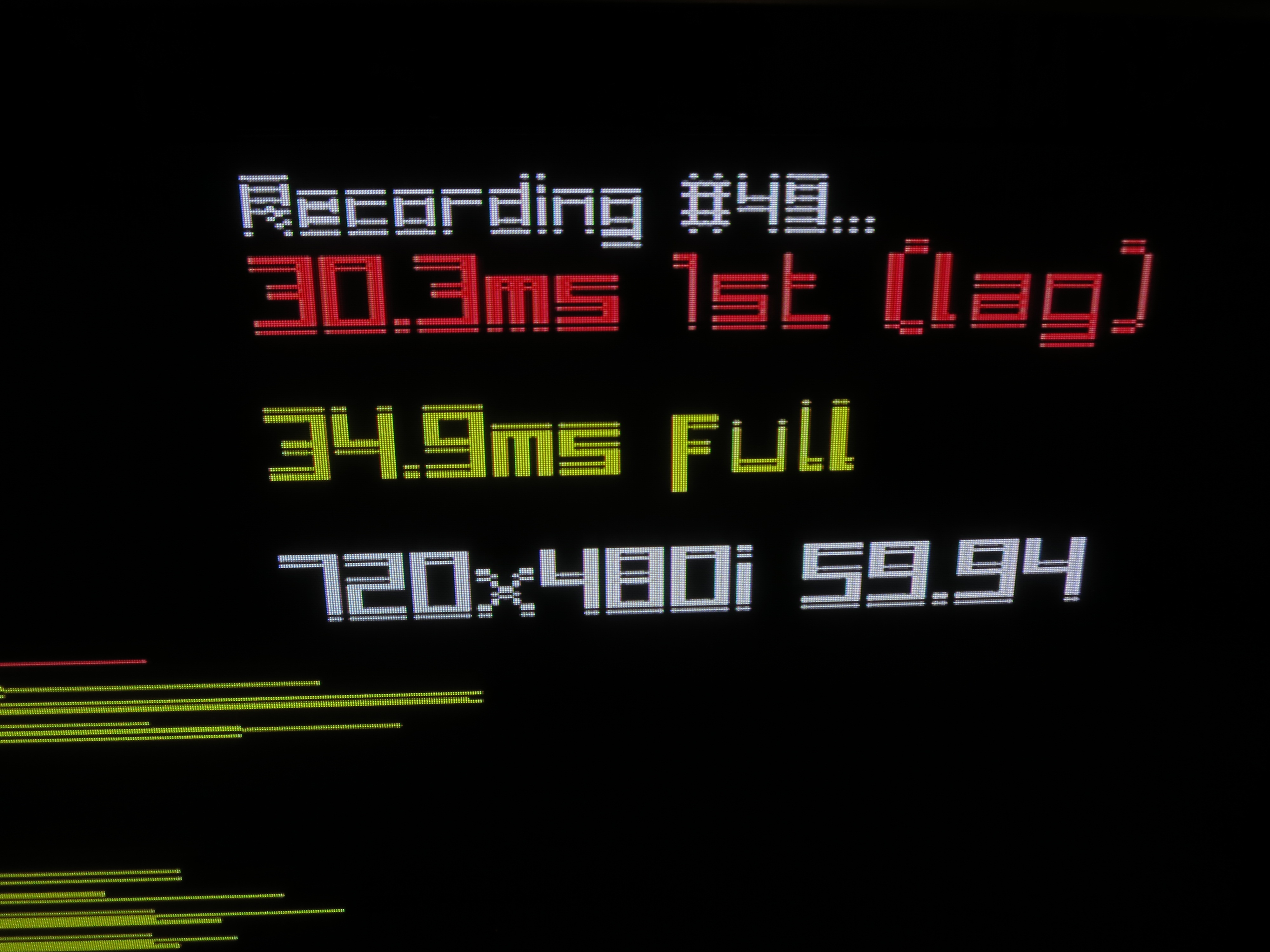
this happens with 480i and 1080i. I'm only including shots from 480i since larger pixels make it easier to see.
check the text that's rendered in a solid font, which is now missing some long horizontal segments (but not the entire line). it's almost artistic.
and here's what it is supposed to look like.
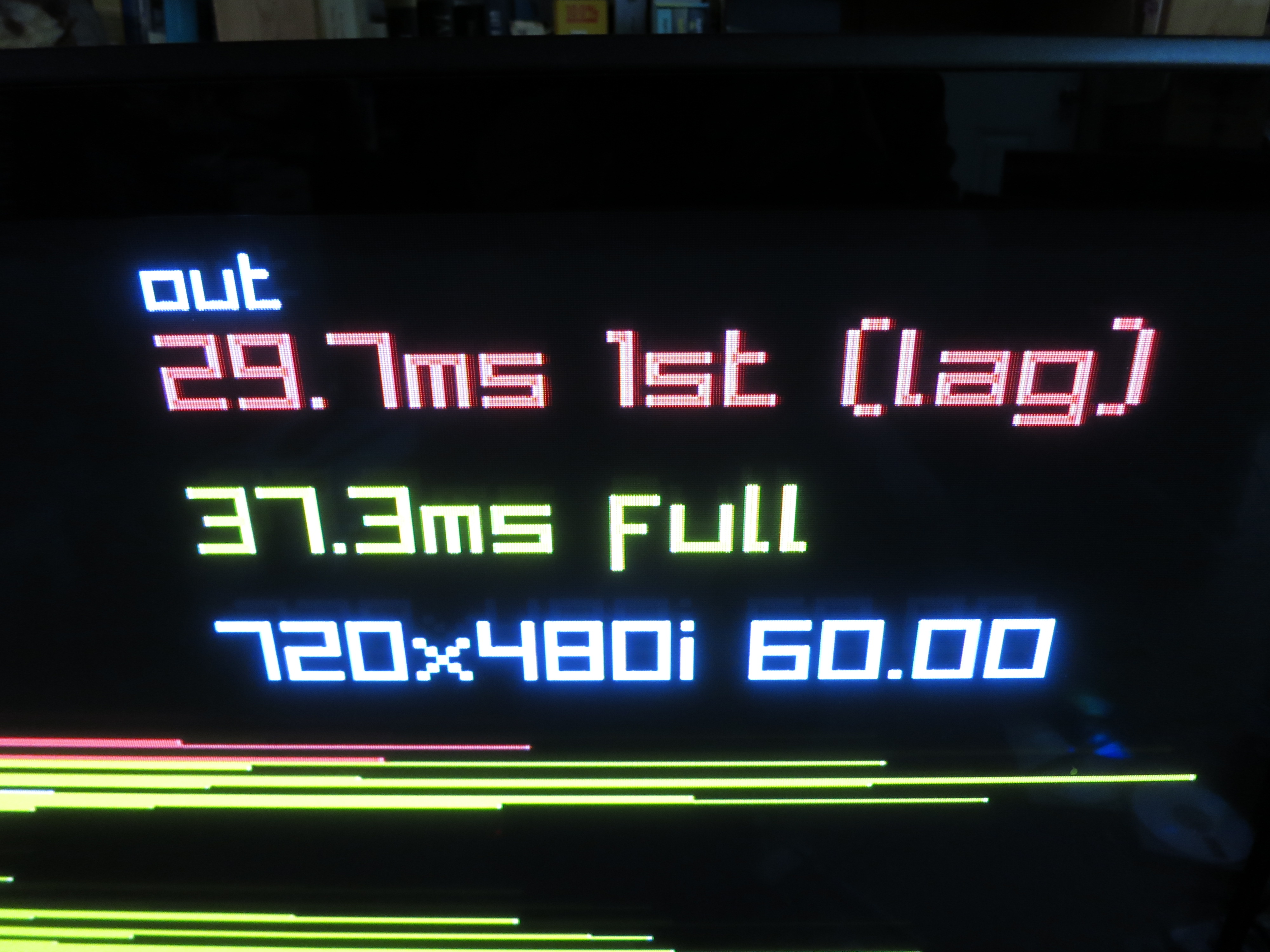
depending on the line this text is updated somewhere between never and once per second. so it's not a deinterlacing issue, I think.
Activity
alanbork commentedon May 8, 2021
42PX75U.zip
binary edid for display.
alanbork commentedon May 8, 2021
and I just noticed that the refresh rate is different in my two samples. I can confirm, however that kms has the same glitch at 60hz as NTSC hz.
popcornmix commentedon May 8, 2021
Looks like odd/even fields are flipped.
i.e. the fields: 0,2,4,6,8,.. and 1,3,5,7,9,... are being displayed as 1,0,3,2,5,4,7,6,9,8,...
Are you sure the bad TV is always bad? i.e. it's not something that flips state each reboot?
Are the good TVs good with all combinations of Pi0/pi4 and kms/fkms?
Is the bad TV bad with kms on Pi0/Pi4 and good with fkms on Pi0/Pi4?
alanbork commentedon May 8, 2021
yes I think you are 99%right; however it doesn't always flip the fields. For instance,
modetest -s 32:720x480i
only has the glitch when the color bars are first swapped; the 2nd transition where it goes to blue and shades of gray is fine.
yes, tracks the problem over at least 4 reboots of kms. Power cycling tv makes no difference either.
I've tested about 34 tvs with dispmanx/pi0 and never seen this problem. not sure of relationship between dispmanx and fkms, they are not exactly the same right since fkms supports drm etc?
I put my pi4 sd card in my pi0 and tested:
kms - no problem
fkms - no problem
[side note]I had always assumed pi0 didn't have the oomph to run kms/fkms but I can report that for simple programs the timing works out just as tight as on the pi4 - nice work! Although dispmanx on pi0 is still better than (f)kms on pi4 in terms of less noise in the flip timing (eglSwapBuffers() not taking more than a frame's length to return).[/]
I put my pi4 sd card in my pi0 and tested:
kms - no problem
fkms - no problem
pi4 sd card back in pi4;
kms - always bad
fkms - no problem
so at the least it's pi4 specific. I used to have two pi4's but no longer, so I can't test for hardware failure, but this pi4 has been functioning fine for months, although it can be hard to tell for sure since the development of (f)kms has been rocky.
popcornmix commentedon May 8, 2021
"no kms" (dispmanx) and fkms both will call the same code to set hdmi mode, so are very likely to behave the same, but the plumbing to get to that call is different (so they code could be called with different parameters or timing), so its not impossible for there to be a difference. kms is completely different code.
So, to confirm are you saying you need Pi4, kms and "bad TV" to see the issue. Change any one of the 3 components here and the issue never occurs?
alanbork commentedon May 8, 2021
Yes, although I'm not sure the TV would appreciate you calling it "bad" ;-)
note that I've only tested the pi4 AND kms on 3 tvs so it's hard to know how limited this problem is.
alanbork commentedon May 15, 2021
I've found a 2nd TV with this problem. Samsung LN46B610. It uses bob deinterlacing and it appears to flicker between the fields being in proper phase and out, though it's hard to tell by naked eye, and the nature of bob deinterlacing could just be masking the problem when it field doubles the fields that are in proper order.
For the record, half the TVs I've tested seem to have issues with how the pi4/kms outputs interlaced content, although how the have trouble differs.
kFYatek commentedon Jun 22, 2021
Just to report: I've seen the same problem with my Samsung UE65MU8002. Additionally, 50 Hz interlaced modes don't work at all in this configuration (Pi4 + Full KMS + that TV). Fake KMS works fine. I plan on doing further investigation.
kFYatek commentedon Jun 22, 2021
@popcornmix I did some debugging and found out a trivial bug that causes this corruption. The one-liner fix would be:
With this fix, all interlaced modes look clean on both the aforementioned Samsung UE65MU8002, and on my Asus PB287Q monitor (the interlaced modes were corrupted on it, too).
Side note: I also found another discrepancy between fake-KMS and full-KMS behaviour - there is an off-by-one difference in the length of the vertical back porch; e.g. the PixelValve's settings for 1080i set by fake-KMS are
VERTA = 0x00100005,VERTA_EVEN = 0x000f0005, but on full-KMS that'sVERTA = 0x000f0005,VERTA_EVEN = 0x000e0005. Similar thing happens with the HDMI encoder's VERTB registers. Both settings are coherent and displays seem to be generally fine with either; I'm not sure which is more "right".There is also another off-by-one problem which causes the entire display to be shifted by 1 pixel to the right in a lot of modes, but that's a separate issue, not directly related to this ticket. (EDIT: that's #4187) I'll try to investigate that as well.
alanbork commentedon Jun 22, 2021
Interesting! I look forward to testing on the sets I have as well - by luck I still have at least one of them.
The other kms related bug I've seen is something which causes timing jitter in interlaced modes, such that a recent sony display is constantly hunting around to synchronize when it starts scanout. I wonder if this could be due to the back porch not being to spec. It could also just be due to this bug you fixed above, I'm not really clear from the one-liner what it's doing.
kFYatek commentedon Jun 22, 2021
@alanbork
PV_VCONTROL_ODD_DELAYspecifies the number of clock cycles that the odd fields are delayed per line compared to the even fields. In the current version, on Pi 4, the KMS-calculated value as twice as big as the firmware-calculated value, which I believe caused the field to be shifted by a full line instead of half a line as intended.This is caused by Pi4's HDMI PixelValves operating at two pixels per clock (that
ppcvariable would be 1 on Pi3 and below, and 2 on Pi4), which was not taken into account in the full-KMS driver.And after a second thought, I'm pretty sure that the firmware is right about that back porch. Firmware's numbers sum up to 1125 lines for 1080i, aligned with the spec. KMS' numbers would be 1123 lines.
6by9 commentedon Jun 23, 2021
Agreed.
The firmware has a table of all the complete timings that it is going to use, so most values are not computed.
At one point I had found a paste of those tables on the web, but can't find it now.
VERTA and VERTA_EVEN do NOT have adjustments of the VBP when in interlaced mode. The conversion from table to PV config has
KMS's mode for 1080i60 gives us VFP 4, VSW 10, VBP 31, so it is presumably the div2 on each of these that has rounded the back porch down to 15, but is that generic? Time to read through CEA-861 to try and find the generic answer. I've already hit a special case for "480 Interlaced" in 30seconds of searching in converting SMPTE 2016-1 to CEA-861. There's also a special case for VIC 39 (1080i50).
At least DMT doesn't really support interlaced modes.
Putting in this form of correction always feels like a can of worms as it isn't clear where the actual error is. Fixing it for one case can break it for others.
I've just returned the HDMI analyser I had to the office, but that's the correct tool to confirm what's on the line. It's quite possible the firmware is wrong, or the special cases are coded into the table so KMS computing them needs the special case clauses.
kFYatek commentedon Jun 23, 2021
You're certainly better versed with the various specifications so maybe you'll know this right away - is the total number of lines in interlaced modes always odd? It certainly was, by definition, the case in the analog days, but it it true with modern digital standards as well?
If so, then I believe this "add one instead of subtract one" fix will always work. I.e., it will always work if the total number of lines is odd.
1125 / 2is 562 in integer division, so you need to add that "lost line" somewhere to get 1125 in total. The same goes for 525, 625 etc. I'm not sure that the resulting timings will be what the relevant specs mandate, but it'll at least have the right number of lines, so I still see it as an improvement.6by9 commentedon Jun 23, 2021
I believe so, but I don't count myself as an expert. The standard CEA modes certainly follow that pattern.
Having worked through all the standard interlaced modes it does look like the integer division will always be rounding down, so adding one to the odd field and using that value for the even field does appear to give coherent results.
So you've convinced me that the reason for the difference is that the firmware tables have rounded up after the divide by 2, and with KMS having rounded down we need to add one to the odd field VBP instead of subtract one from the even field VBP.