You signed in with another tab or window. Reload to refresh your session.You signed out in another tab or window. Reload to refresh your session.You switched accounts on another tab or window. Reload to refresh your session.Dismiss alert
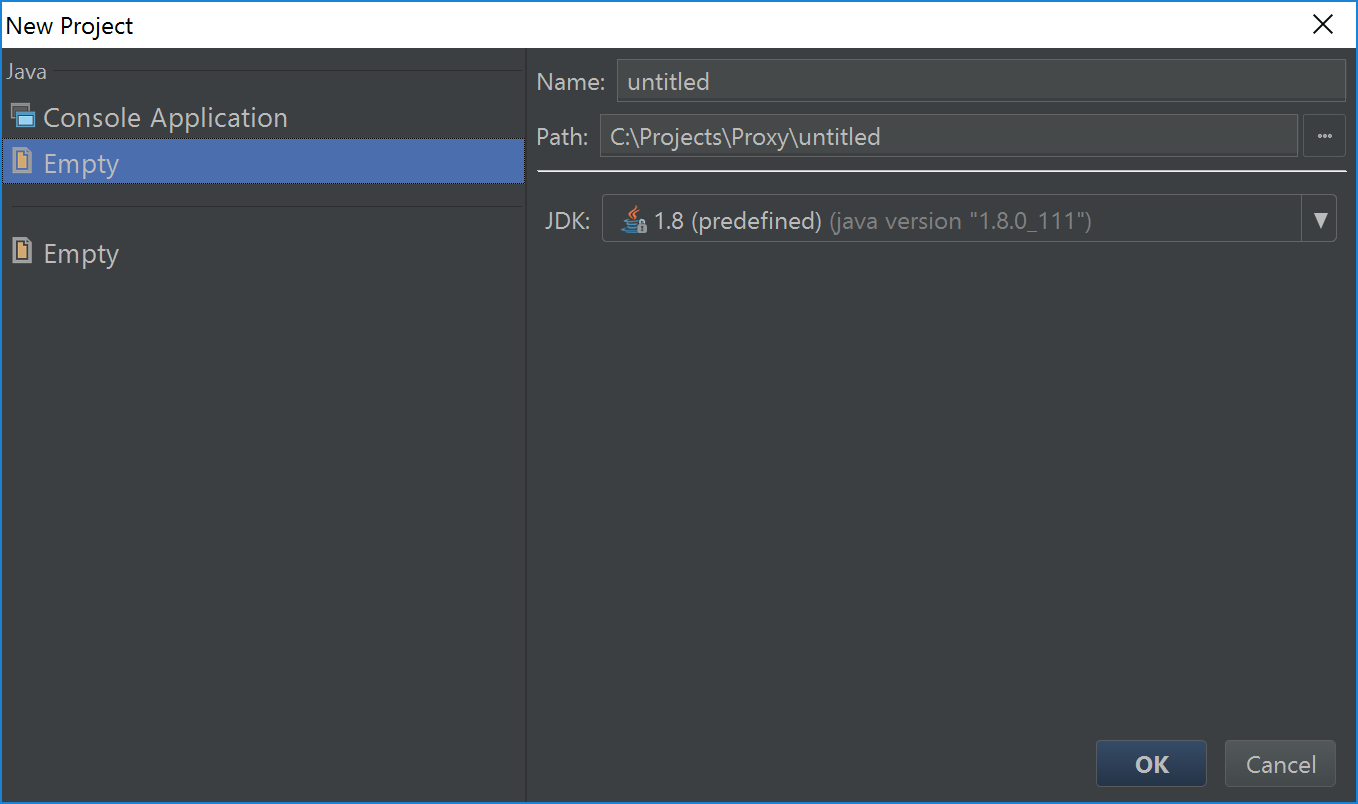
Probably the last "Empty" should be named as "Empty Project" (as in Idea).
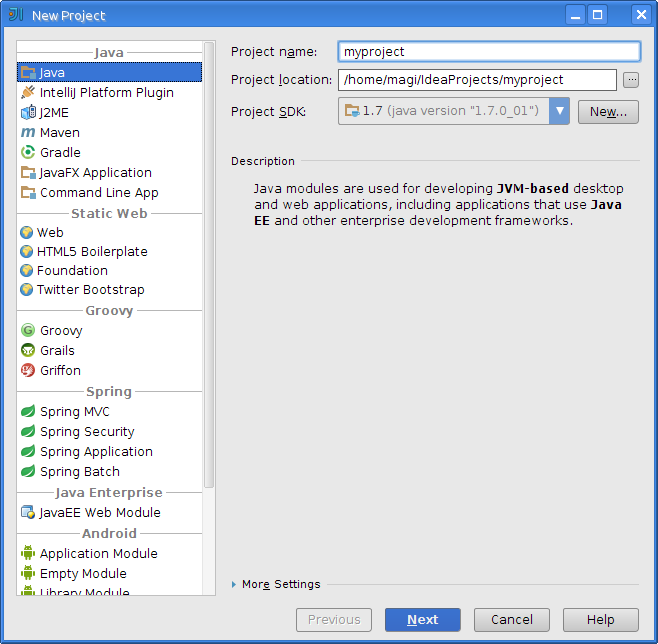
As for the first one, it's more complex. In Idea there's project type selection (Java) and then optional facet selection (Java EE, etc.). As I understand, Java/Empty creates project without marking its root folder as sources (like without facet selection in Idea) and Java/Console Application is like selecting facet in Idea.
As you have no Facets and have Extensions instead you probably should consider having just single "Java" option instead of two "Java/Console Application" and "Java/Empty" and after selecting "Java" wizard should provide optional ability to mark some contents of the project as console application or such. So abandon facets at all but make more visible extension selection and specifying folder types (like in Project Structure dialog).

Activity
VISTALL commentedon Jun 20, 2017
It's create empty java project (with settings). Idk for now how it make more clear
unv-unv commentedon Jun 20, 2017
Probably the last "Empty" should be named as "Empty Project" (as in Idea).
As for the first one, it's more complex. In Idea there's project type selection (Java) and then optional facet selection (Java EE, etc.). As I understand, Java/Empty creates project without marking its root folder as sources (like without facet selection in Idea) and Java/Console Application is like selecting facet in Idea.
As you have no Facets and have Extensions instead you probably should consider having just single "Java" option instead of two "Java/Console Application" and "Java/Empty" and after selecting "Java" wizard should provide optional ability to mark some contents of the project as console application or such. So abandon facets at all but make more visible extension selection and specifying folder types (like in Project Structure dialog).
VISTALL commentedon Jun 20, 2017
This panel used also in "Module Settings -> Add", that why no project suffix
unv-unv commentedon Jul 6, 2017
By the way, in Idea empty Java project is called "Java":