Repository navigation
Feature Request: Z axis mechanism safety limits #136
Description

In order to prevent damages to the z axis mechanism and motors, it would be useful to be able to set upper and lower limits for the movement of the z axis mecanism that are independent of the drill bit set zero calibration. This idea is similar to the working area limits where the drill bit never goes outside the working area.
Activity
ariasr commentedon May 14, 2020
It could be as simple as adding a Set Upper Limit, Set Lower Limit buttons, with similar behavior to the Set Zero button, and just check for the limits when moving the z axis.
davidelang commentedon May 14, 2020
gb0101010101 commentedon May 14, 2020
Yep, I've been think about this too. I think it should be part of the calibration process as it really should not change (whereas zero point can change every time you change router bit).
During calibration:
madgrizzle commentedon May 14, 2020
I think this really should be a firmware thing. If you add a variable in the firmware for bit length and that's what changes when you define zero, then you can leave the steps value alone (just subtract the bit length from the steps value) and set a min/max for steps for limiting.
ariasr commentedon May 14, 2020
Similarly to how you set Zero. You could move the Z axis up and down while looking at the mechanism, when you reach a point where you feel conformable with hit the "set Upper/Lower Limit buttons" to record the position.
ariasr commentedon May 14, 2020
You could either check on webcontrol for any gcode command that will make you exceed those limits and send a warning before sending the command to the controller, or put the check in the controller to not move the z axis past the limits.
I see there is active development in webcontrol, don't know how much for the firmware, last update was a while ago.
madgrizzle commentedon May 14, 2020
Is this with no bit in the router?
madgrizzle commentedon May 14, 2020
Is this with no bit in the router?
ariasr commentedon May 14, 2020
Yes, without the bit for the lower limit, juts to set the physical limits of the z-axis
madgrizzle commentedon May 14, 2020
The problem comes in when you install the router but and define zero. It sets the steps (i.e. height) variable in the firmware of the z axis to zero. The upper and lower limits are then referenced to something that is no longer tracked. So you would either have to add additional variables into the firmware (as I suggested) or do all of it in webcontrol. The problem in doing the latter is when webcontrol and firmware get out of sync for some reason... I really think the firmware solution is far superior (and simpler) way of accomplishing it.
madgrizzle commentedon May 14, 2020
The problem comes in when you install the router but and define zero. It sets the steps (i.e. height) variable in the firmware of the z axis to zero. The upper and lower limits are then referenced to something that is no longer tracked. So you would either have to add additional variables into the firmware (as I suggested) or do all of it in webcontrol. The problem in doing the latter is when webcontrol and firmware get out of sync for some reason... I really think the firmware solution is far superior (and simpler) way of accomplishing it.
ariasr commentedon May 14, 2020
Depending of the setup. If you never take the router out, it makes sense for it to be on the calibration.
However if you do take the router out, you might want to set those limits more often. Because the router position might affect your lower limit, as the z axis mechanism could go further but the router could hit the sled.
The upper and lower limits could be because you reach the end of the threads of the screw of because the router is touching the sled.
ariasr commentedon May 14, 2020
Its more elegant for sure. Are you able to modify the firmware?
madgrizzle commentedon May 14, 2020
It's certainly possible to do so. I think it's better to be done by someone that can readily test and debug it.. they'd have to have a working zaxis to check it out.
ariasr commentedon May 14, 2020
I have a Z axis to test it on, but I have 0 knowledge on Arduino programing and the Maslow architecture or protocols to communicate back and forth.
16 remaining items
ariasr commentedon May 17, 2020
I agree we should stick to the standard.
So the dilema is where to put the commands.
I dove in the task with the intend to use G10, but after doing some reading I concluded that G10 has a standarized functionality and parameters it should take, that are different from what we are looking for.
After digging in the Maslow code I noticed there are 16 B codes currently in use on Maslow that are used for machine specific configurations. So I leaned towards that defacto Maslow way of doing things.
At the the end its just a mater of form.
The good news is that the functionality is working great. Limits are easily set up, and coexist perfectly with the Z touch calibration, which I just tested and loving it.
Here is a picture of my pride and joy z axis sled that I am working on.
Orob-Maslow commentedon May 17, 2020
That sled looks awesome! You need to post that pic on the maslow forum because I'm sure a lot of people would like to see it. I have some questions about it as well but I would rather stick to the code issue at hand on this thread.
gb0101010101 commentedon May 18, 2020
@ariasr You can use M commands that are typically used as setup commands or for custom functions. Anything >= M200 should be safe.
BTW nice sled - did you cut that on Maslow?
davidelang commentedon May 18, 2020
ariasr commentedon May 18, 2020
Thank you....
I had it laser cut, just because my standard z axis was broken a that time. It should work fine with the Maslow. I have cut acrylic before with Maslow and it works fine.
ariasr commentedon May 18, 2020
I will go ahead and do a pull request in the firmware repository. They likely have something to say about which code to use. After all they are the guardians of the firmware. Once that is settled, ill go ahead and implement the calls to the firmware in web control.
Thanks a lot for your input and encouragement... less than a week ago I was very shy about Arduino and Maslow code. Today I have a new skill in the tool bag.
Cheers
Cheers
ariasr commentedon May 18, 2020
Firmware pull request uploaded
Orob-Maslow commentedon May 19, 2020
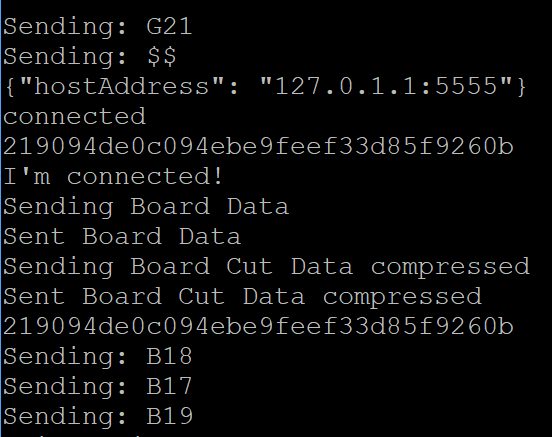
I see the pull request for the firmware. I'll compile and hopefully flash tomorrow. I was messing with webcontrol and came up with this:
Here it is sending the commands with the button presses:
Orob-Maslow commentedon May 19, 2020
Oh and quick question. for those of us with z axes with belts, the motors run in reverse. does this work with a + and - zaxis pitch?
ariasr commentedon May 19, 2020
ariasr commentedon May 19, 2020
ariasr commentedon May 19, 2020
Yes, I have the same setup. And it worked great.
ariasr commentedon May 19, 2020
Thats exactly what I had in mind. Make a pull request so that we can test it.
gb0101010101 commentedon May 19, 2020
I don't think these buttons should be in the z Axis modal. I doubt people will be constantly setting Max and Min as you only need to change it when you remove the motor. I think its more apt to make it a calibration step.
Orob-Maslow commentedon May 19, 2020
After thinking about it, I agree with that. They should be in quick configure or another configuration area so they don't get pressed by fat fingers on a phone easily.
Having said that, they sure worked nice to test and I have an update. After flashing the firmware and running the version of webcontrol shown with the "non-ideal" buttons, I can say that it works. I took video, but it is probably easier to read:
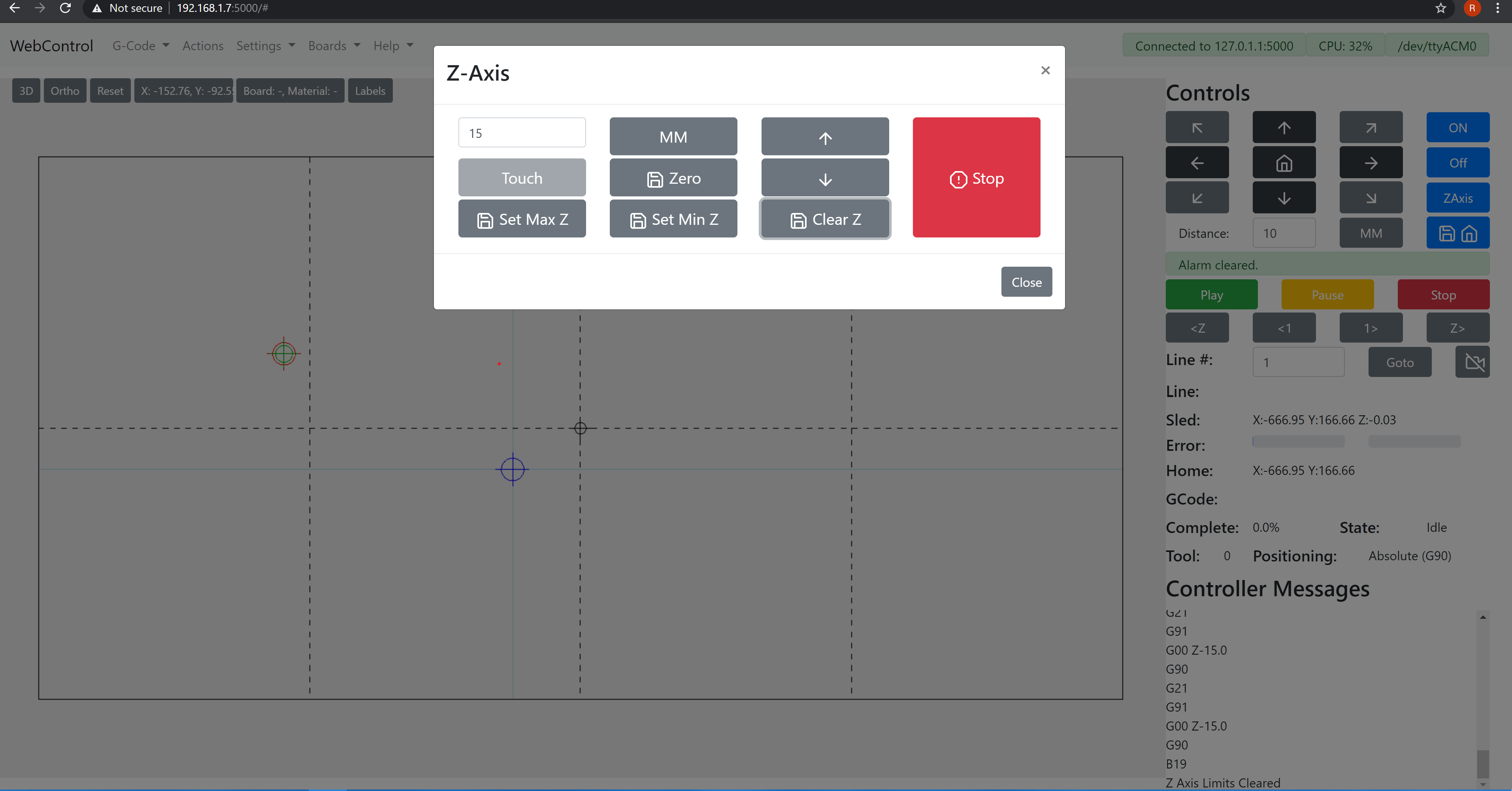
The firmware code is as stated. B17 is max, B18 is min, B19 clears the value. I moved the z axis, set the lower limit

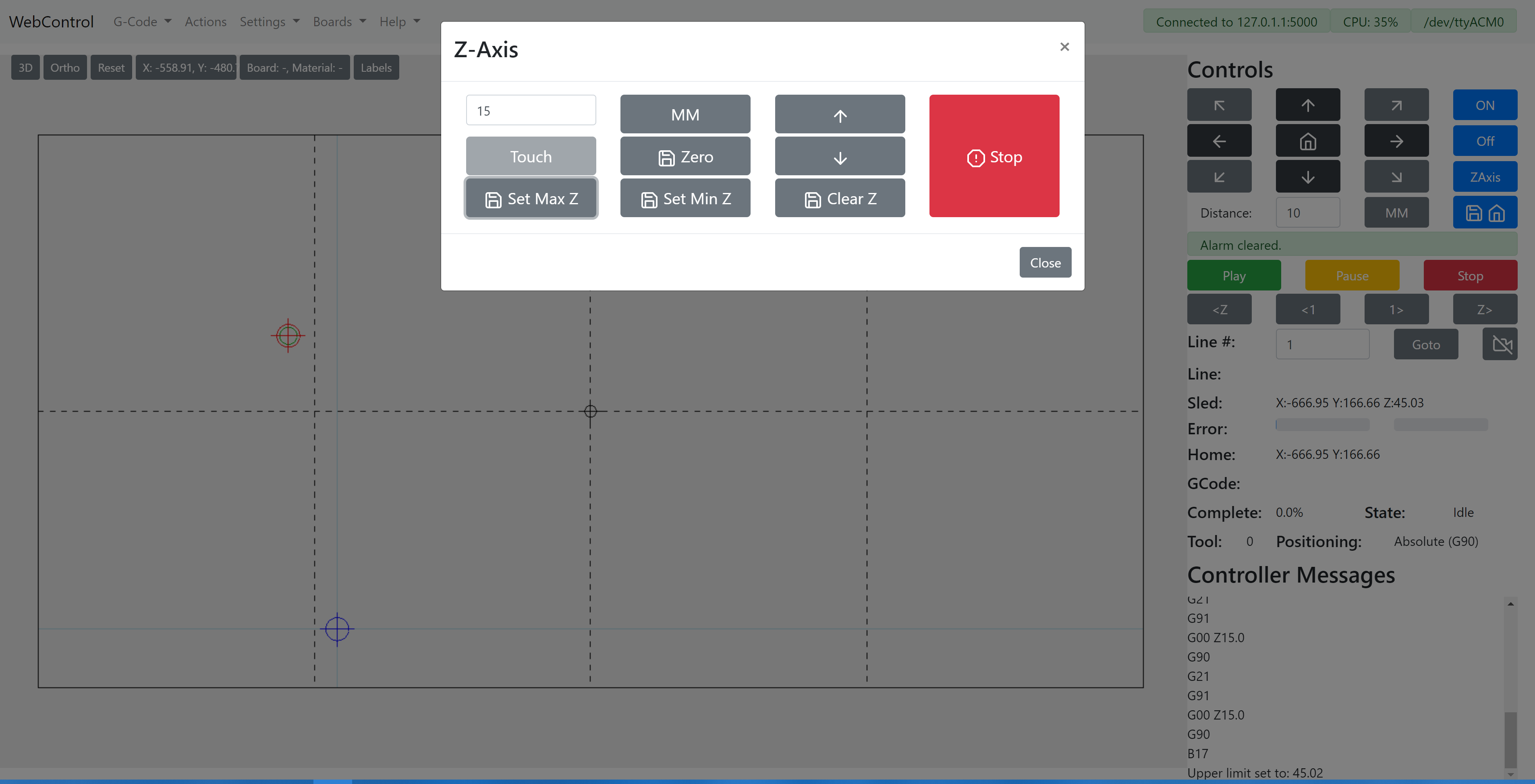
then moved the axis and set the upper limit
then tried to move the z axis above and below that limit. It goes to the limit and stops. I would like a log error message or indication that passing the upper/lower limit was attempted so I know where to look for issues. After moving to each limit and trying to pass it, I reset them with the third command.
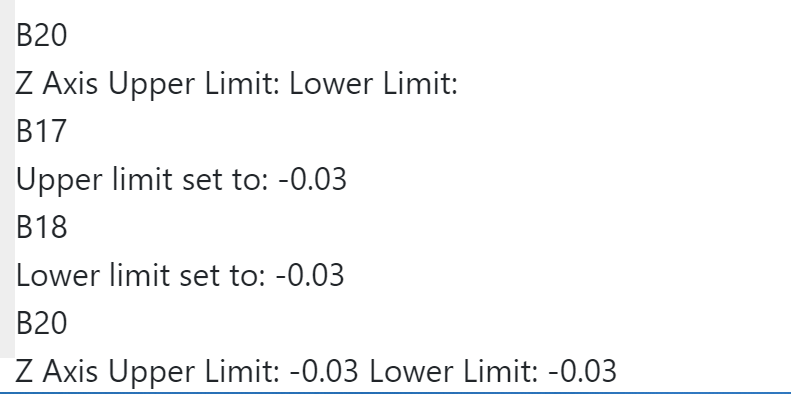
and was able to move beyond the previously imposed limit as expected. I don't have a button to check or location to display the values for the actual settings, so that fourth command did not get tested initially. I changed one of the macro buttons to send B20 and it works, but I had cleared the results, so nothing returned the first time. I then set the high and low to the current value and the B20 command returned the same value for them both.
I call this a success with the suggestion that there be a non-blocking warning or error passed for the user to know a potential damage attempt was prevented and that we get further agreement on where the zaxis limit buttons should be placed.