Skip to content

jsGraph background image or canvas #293

Open

Description

@heinemannj

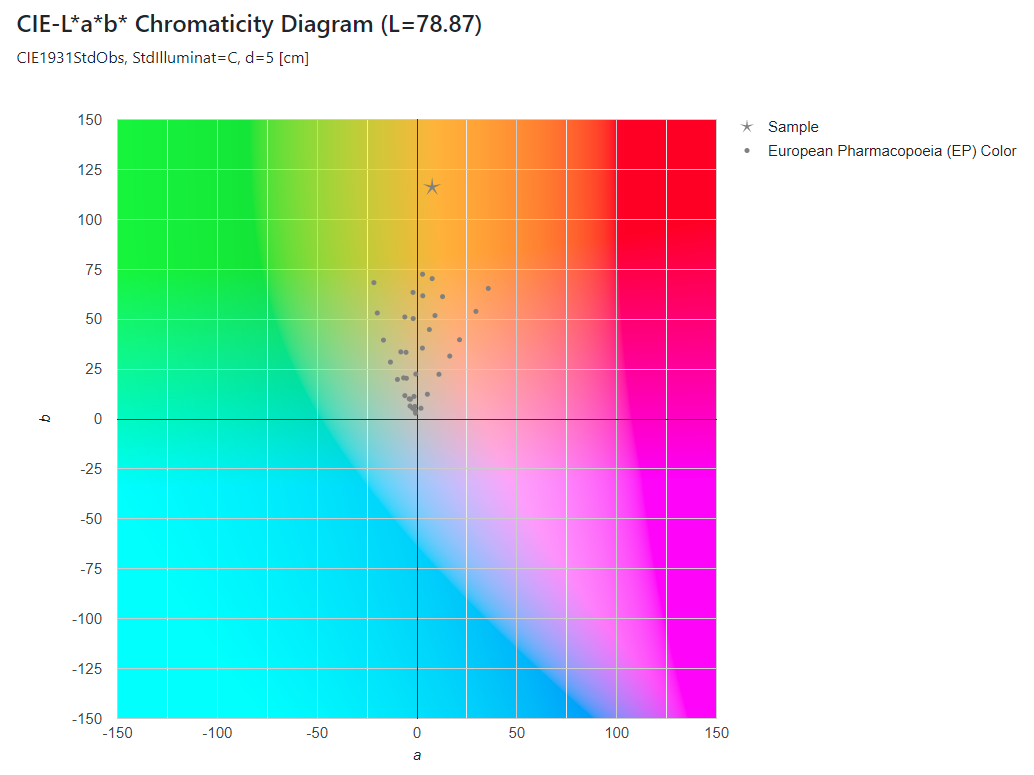
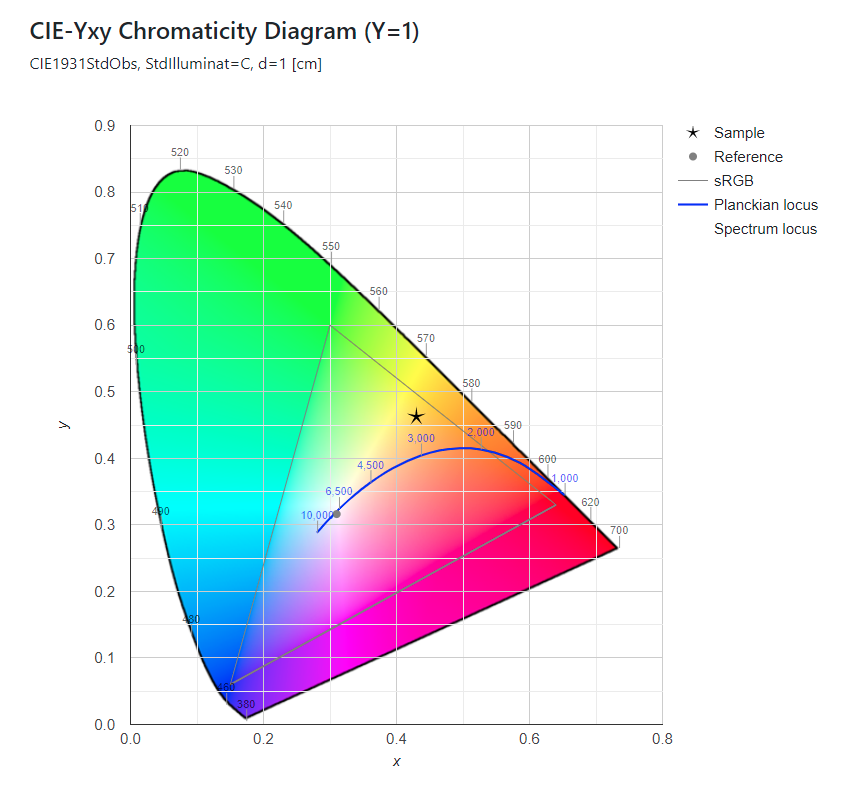
Is there any possibility to add an image or canvas as a background to jsGraph SVG?

I'm working on Colorimetry javascript libs which have this kind of requirements and Google chart which I'm using right now has a lot of other limitations.

Examples and goals:
image

image

Activity

  1. heinemannj commented on Dec 12, 2021

    @heinemannj
    Author

    I've found the following tricky workarround:

    const jsgraphStyle = {
    	id: 'chart1',
    	width: 800,
    	height: 300,
    	backgroundImage: './background.png',
    	backgroundImageWidthCorrection: 29,
    	backgroundImageHeightCorrection: 32
    }
    
    let documentElementId = document.getElementById(jsgraphStyle.id);
    const graph = Graph.fromJSON(jsgraph, documentElementId);
    
    if (jsgraphStyle.backgroundImage) {
    	let imgage = await getMeta(jsgraphStyle.backgroundImage);
    	let graphWidth = graph.width - graph.innerWidth + imgage.width + jsgraphStyle.backgroundImageWidthCorrection;
    	let graphHeight = graph.height - graph.innerHeight + imgage.height + jsgraphStyle.backgroundImageHeightCorrection;
    
    	graph.resize(graphWidth, graphHeight);
    	graph.draw();
    	graph.updateLegend();
    
    	let drawingSpace = {
    		left: graph.drawingSpaceMinX,
    		top: graph.drawingSpaceMinY,
    		width: graph.drawingSpaceWidth,
    		height: graph.drawingSpaceHeight
    	}
    
    	documentElementId.style.backgroundImage = `url('${jsgraphStyle.backgroundImage}')`;
    	documentElementId.style.backgroundRepeat = 'no-repeat';
    	documentElementId.style.backgroundSize = `${drawingSpace.width}px ${drawingSpace.height}px`;
    	documentElementId.style.backgroundPosition = `${drawingSpace.left}px ${drawingSpace.top}px`;
    } else {
    	graph.resize(jsgraphStyle.width, jsgraphStyle.height)
    	graph.draw();
    	graph.updateLegend();
    }
    
    // Sub function for image metadata (height and width)
    //
    function getMeta(url) {
    	return new Promise((resolve, reject) => {
    		let image = new Image();
    		image.onload = () => resolve(image);
    		image.onerror = () => reject();
    		image.src = url;
    	});
    }
    
  2. NPellet commented on Dec 25, 2021

    @NPellet
    Owner

    I think this should be possible with a shape put on the first layer.
    But I think by default it would end up over the grid, and not under.

    Something I'll think about

Sign up for free to join this conversation on GitHub. Already have an account? Sign in to comment

Metadata

Metadata

Assignees

No one assigned

    Labels

    No labels
    No labels

    Projects

    No projects

      Milestone

      No milestone

      Relationships

      None yet

      Development

      No branches or pull requests

      Issue actions