Releases: MoonModules/projectMM
Release list
4.0.0-dev.93

Merge pull request #99 from MoonModules/next-iteration

The app installs MoonBase, and every image says which one it is
container test 4.0.0-dev.93 (rehearsal, delete me)
Rehearsal, not a release. Produced by .github/workflows/container-test.yml to
prove the container path before it ships in release.yml. It is marked a prerelease so
no device update check reaches it. Delete it when done.
The image is public, so anyone can run it without a GitHub login.
Container image, pulled back and verified serving in the same run:
docker run -d -p 8081:8080 -v projectmm:/data \
  ghcr.io/moonmodules/projectmm:container-test
Reported identity on first start: MM-8B3E F6:D1:8F:3A:8B:3E
(generated and stored in the volume, so it survives an upgrade).
4.0.0

projectMM v4.0.0
The scripting and desktop release — 124 commits. MoonLive grows from a proof of concept into a language you can actually write effects in: five types, fractional math, particles and shaders, running as native code on every supported chip including Windows and Linux desktops. Alongside it: desktop builds for macOS, Windows and Linux that install and keep their settings like real applications, LED panel cards over raw Ethernet, and an effect library that more than doubled to 52 effects, 12 modifiers and 18 layouts.
If you like projectMM, give it a ⭐️, fork it, or open an issue or pull request. It helps the project grow, improve, and get noticed.
🔬 How it's built
Every feature follows projectMM's Industry standards, our own code principle: spec the behaviour from primary sources, reach for the textbook algorithm and the textbook name, pin it with unit + scenario tests first, then write every line fresh against our own architecture, crediting the prior art by name. New this release: the JIT backends are verified instruction by instruction against the real assembler, and the firmware runs under QEMU in CI — a miscompiled shift or a clobbered stack pointer is caught by a test rather than by a boot loop on the bench.
✨ Highlights
MoonLive — write effects without rebuilding firmware
- A script is compiled on the device to real machine code, so a scripted effect runs at native speed rather than being interpreted. Edit it in the device's own editor, save, and the change is live.
- Five types (language reference):
int,byte,bool,fixedandstring.fixedis fractional math (Q16.16) — the piece that makes shaders, smooth motion and Mandelbrot zooms expressible at all. - Four instruction sets: Xtensa (classic ESP32 + S3), RISC-V (P4 / S31), arm64 and x86-64. The same script runs unchanged on a microcontroller, a Mac, a Windows PC, a Linux box and a Raspberry Pi.
- Three script kinds: effects, layouts (place lights from a script, with for-loops) and modifiers.
- Built-in particles, shaders and trails; arithmetic, division, nested loops and
print(). - Scripted controls appear in the UI automatically and keep their value across a reboot.
- A broken script fails safe — it renders dark and shows the error instead of crashing the device.
Desktop — macOS, Windows and Linux
- projectMM installs like a real application on all three platforms: a
.dmgon macOS, asetup.exeinstaller on Windows, and a.debfor Linux and Raspberry Pi OS (apt install ./file.deb), each alongside a universal archive. - Settings move to a per-user directory on every platform —
~/Library/Application Support/projectMMon macOS,%LOCALAPPDATA%\projectMMon Windows,$XDG_DATA_HOME/projectMMon Linux. A downloaded binary can now save settings at all, and moving the executable no longer loses them. - MoonLive runs on every desktop platform. It already ran on macOS and Linux through the arm64 and x86-64 backends; this release completes the set by fixing the Windows toolchain, so scripts now compile and run natively on all three.
Effects, palettes and primitives
- 52 effects, 12 modifiers, 18 layouts — up from roughly 21 / 5 / 3 at v3.0.0.
- A shared palette: 16-entry gradient palettes selected once and read by every effect, replacing per-effect hard-coded tables. 47 of 52 effects follow the device's palette control.
- A shared primitive library — beat, noise, saturating math, blending, and a dimension-agnostic draw set that works from 1D to 3D, written once instead of per effect. See also the power functions.
- Effects run on elapsed time, so animation speed no longer depends on frame rate.
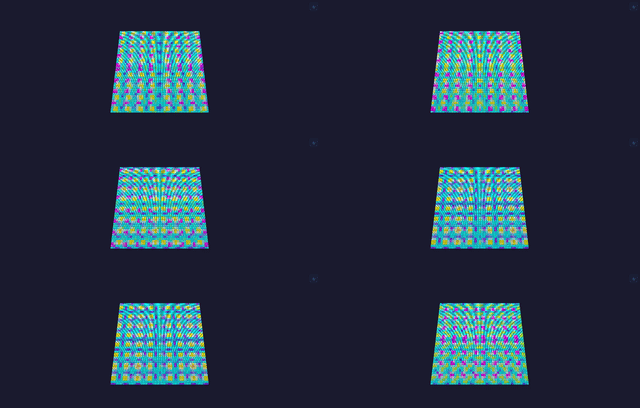
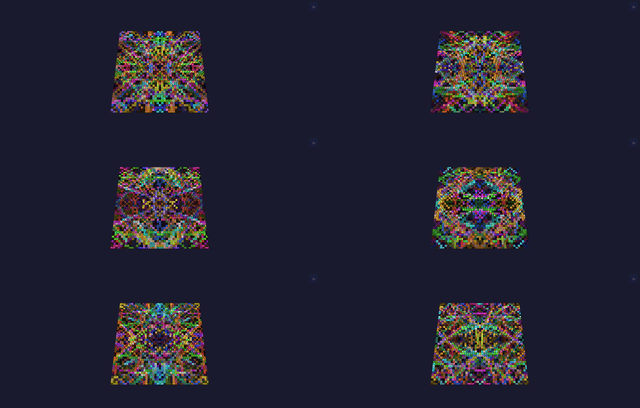
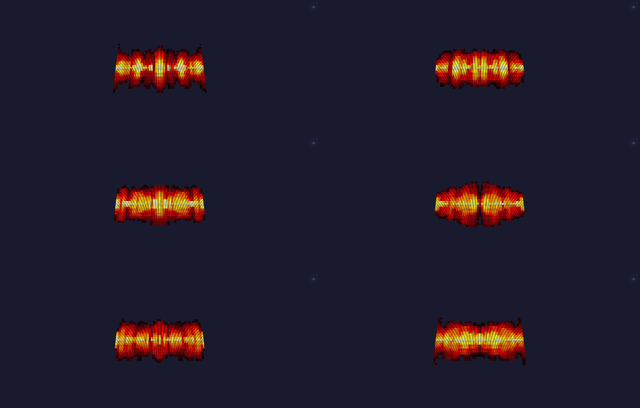
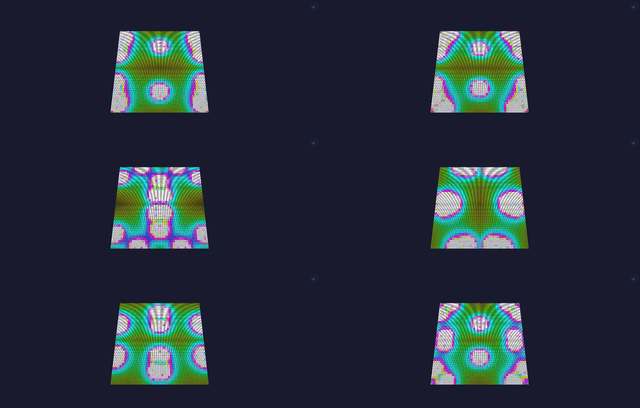
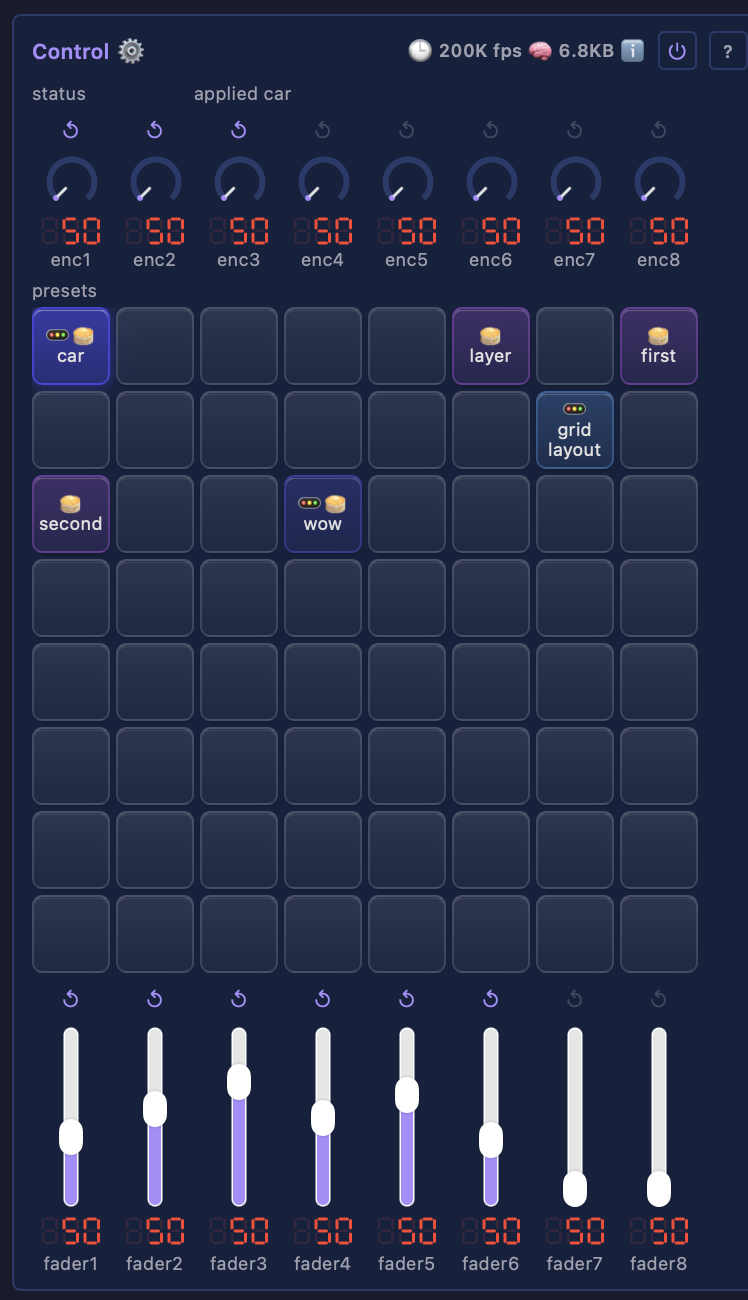
- ControlModule — presets on a control surface, published to Home Assistant.
Drivers and networking
- PanelCardDriver — drive LED panel cards over raw Ethernet, from an ESP32 or from a computer. On an Ethernet-equipped ESP32-S3, -P4, -S31 or classic board the chip sends the frames itself; on the desktop side the same driver runs on Linux, macOS and now Windows (via Npcap), so a Pi or a mini-PC is equally a real panel controller. Adds pre-v13 card support and named card vendors. Walkthrough: driving LED panels with a receiving card.
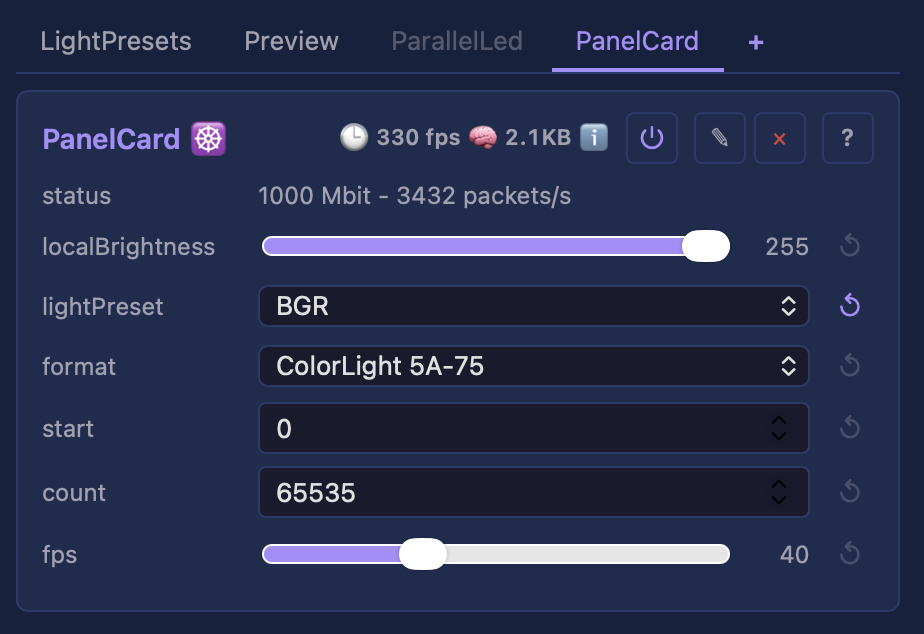
These cards want a gigabit link: a 256x256 frame is ~1.6 ms on the wire at 1 Gbit against ~16 ms at 100 Mbit. The driver reports the negotiated speed rather than refusing to run, so a 100 Mbit link says "expect tearing" instead of failing silently. The ESP32-S31 is the gigabit board.
- Static IP for both WiFi and Ethernet.
- ESP32-S31: RGMII Ethernet link, raised to 320 MHz.
- ESP32-P4: an oversized Parlio frame is refused before the bus init fails, rather than crashing the board.
- Every dropped frame is counted and reported.
Robustness
- Fixes for real crashes and stalls found on the bench: two heap overruns on a layout resize, a Parlio resize crash, a 4-second render stall in wedge recovery, an S31 Ethernet transmit wedge, a WiFi/Ethernet data race, and an LED driver that could silently claim an Ethernet pin.
- On the MoonLive side: a deleted script no longer renders, a renamed script no longer runs the old program, and the Xtensa frame bug that stopped scripts running on every ESP32 is fixed.
Toolchain and tooling
- Compiler-checked hot-path discipline — the render path's cost rules are enforced by the build, not by review.
- CodeQL, clang-tidy, clang-query and lizard static analysis, plus a repo-health ratchet so size and complexity regressions are visible the moment they land.
- Lifecycle gate scripts (
precommit/premerge/prerelease) driving every check from one place.
⚠️ Breaking changes — action on upgrade
Both are source-level only. A device needs no action: no control name, type, range, wire format or persisted value changes.
addControlreplaces the width-named adders.addUint8,addUint16,addInt16,addInt32andaddBoolbecome one overloadedaddControl(name, variable, min, max)— the same call a MoonLive script makes. Action for a third-party module: recompile. A missed call is a compile error, never a silent behaviour change.- Desktop settings move to a per-user directory (above). Action: nothing, unless your settings actually persisted before — if they did, copy
build/.configto the new location.
Full details: MIGRATING.
🐛 Open issues and their impact
None of these affect a typical install. Each is listed with who it actually reaches.
- #69 — DDP receive performance: largely fixed in this release. A receive effect was re-copying an unchanged frame every tick, costing 3.5 ms per tick at 12,288 lights; that is now around 240 us. Remaining reports are specific to very high light counts on a P4 over WiFi, where the on-board WiFi co-processor costs roughly 2x throughput against the same board on Ethernet.
- #70 — WiFi STA instability: a configuration gotcha, not a defect. Every reported case so far is a device provisioned with a 5 GHz SSID. The ESP32-S31 and every other supported ESP32 are 2.4 GHz only, so the join simply never succeeds. If your access point publishes separate SSIDs per band, provision the 2.4 GHz one.
- #79 — SK6812 / RGBW flicker on dense frames. Investigated at length this cycle. On the reproduction to hand it traced to a physical strip, not the driver, the timings or the memory path — swapping the strip between output pins moved the fault with it. Reports on very short wires are still unexplained and we would like more data. Background: LED signal integrity.
📦 Install
Flash from your browser — pick your board, flash the matching firmware, hand over WiFi via Improv: the web installer. Or run projectMM on your computer: the .dmg (macOS), setup.exe (Windows) and .deb (Linux / Raspberry Pi OS) are attached below, with universal archives beside them. Step-by-step in th...
v3.0.0
projectMM v3.0.0
The biggest release since 1.0 — 164 commits across ~10 PRs. Highlights: the parallel-LED drivers consolidate into one runtime-peripheral module; a streaming shift-ring drives 12,288 lights (48×256) on a single S3; Home Assistant MQTT discovery; a live on-device scripting engine (MoonLive); a new ESP32-S31 board with 1 Gb Ethernet; Philips Hue output; a migrated library of 20+ effects and 60 palettes; a multicore render/encode split; and a ground-up robustness pass proven with live-hardware scenario tests.
If you like projectMM, give it a ⭐️, fork it, or open an issue or pull request. It helps the project grow, improve, and get noticed.
🔬 How it's built
Every feature follows projectMM's Industry standards, our own code principle: spec the behaviour from primary sources (the ESP32 / peripheral datasheets, the WS2812 timing spec, reference DSP), reach for the textbook algorithm and the textbook name (a DC-blocker high-pass, a Hann window, an in-order completion FIFO, a bit-transpose), pin it with unit + scenario tests first, then write every line fresh against our own architecture, crediting the prior art by name. New this release: many features were verified with live-hardware scenario tests — the same scripts drive real boards over HTTP and leave each bench board exactly as they found it.
✨ Highlights
One "Parallel LED" driver, three DMA peripherals
MultiPinLedDriver,MoonLedDriver, andParlioLedDrivermerge into a singleParallelLedDriverwhoseperipheralcontrol picks the DMA backend —i80,MoonI80, orParlio. The add-module picker shows one card on every board; the dropdown offers only what the chip supports (i80 on S3/P4/S31/classic, MoonI80 on the LCD_CAM chips, Parlio on the P4). Switching the peripheral is live — no reboot (ADR-0016).- A one-driver-per-hardware-block guard, stable board-portable option labels, and clean per-chip capability filtering.
The MoonI80 streaming shift-ring — 12,288 lights on one chip
- MoonI80 is our own GDMA driver below
esp_lcd. Its streaming ring feeds a small pool of internal buffers refilled behind the DMA read head, so strand length stops being a memory question — the whole frame never has to fit RAM. A full 48×256 = 12,288-light wall renders clean on a single ESP32-S3. - A 74HCT595 pin expander fans one GPIO out to 8 strands (6 pins → 48 strands). Auto-derived ring geometry (or expert
ring*controls), a validated viability rule, and a clock-oracle lapping refill for very long strands.
Home Assistant & smart-home
- MQTT Discovery (JSON schema) with LWT availability — projectMM appears in Home Assistant automatically, including an update entity (a badge when a newer release is out). Homebridge control and Ethernet opt-in alongside.
MoonLive — live on-device scripting
- Write an effect as a small script that compiles to native code on the device and renders each tick; edit the source live and it recompiles without a reboot, with
@control-declared sliders bound to real controls. Runs on three instruction sets (Xtensa S3, RISC-V P4/S31, and the desktop) — a broken script fails safe (renders dark, shows the error) rather than crashing.
New platform — ESP32-S31
- A new board variant: 1 Gb RGMII Ethernet, on-board mic + I²C scan, RISC-V dual-core. Builds, publishes to the web installer + releases, and offers all three LED peripherals.
Effects, modifiers, layouts & palettes
- A migrated MoonLight effect library (20+ effects) plus faithfully-migrated E_MoonModules effects, 60 palettes, and a demo-reel showcase. New: Wave, GridBlacks (a spacer layout with mid-strand dark gaps), Region and the earlier modifiers, text/font primitives.
- A reusable LightPresets library — build a channel-role wiring (RGB / GRBW / moving-head layouts) once, reference it by name from many drivers.
Output & performance
- Philips Hue output (
HueDriver) — drive Hue bulbs from the pipeline, with room/light filtering. - Classic ESP32 i80 driver over the I2S peripheral; 16-lane parallel output; an async double-buffer that hides the WS2812 wire time behind DMA; a SWAR bit-transpose encoder.
- A multicore render↔encode split — the LED encode / packet build runs on core 1 while core 0 renders the next frame, so a frame costs
max(render, output)instead of the sum. Degrades cleanly to single-core when memory is tight. - Diff-on-the-wire state push — only changed control values go over the WebSocket, fixing a 1 Hz LED stutter from re-serialising unchanging data.
Robustness — any input, no crash, no reboot
- A running device tolerates any add / remove / replace / reorder of modules in any order. Fixed this release: a module replace on a split-render device (use-after-free), a live peripheral swap freeing a buffer the encode worker reads, a driver destroyed while the worker was inside it (vptr race), a reordered code-wired child losing its persisted state, a preset name with a quote wiping the custom-preset library on reboot, an out-of-memory preset restore, and the MoonI80 whole-frame double-buffer freeze (it now runs single-buffer; the ring is its scale path).
- Audio is now one
modecontrol (Local / Receive network / Simulate); a Local-mode mic status no longer lingers after switching modes.
Toolchain, tooling & docs
- ESP-IDF pinned to v6.1-beta1. Windows ESP32 builds fixed end-to-end; the whole tree builds clean under GCC with a sanitizer (ASan/TSan) gate. A
ScratchBuffer<T>primitive for the memory-holding effects. - MoonDeck (the dev/bench toolkit, renamed from
scripts/) with live output, and a MkDocs documentation site. Per-module generated docs, and a live-scenario harness that drives peripheral switches on real hardware.
⚠️ Breaking change — action on upgrade
A field device carrying a pre-consolidation MultiPinLedDriver, MoonLedDriver, or ParlioLedDriver persisted type will drop that driver on boot (the old type no longer resolves). Re-add a "Parallel LED" driver and pick the peripheral your board uses, then re-enter its pins. The web installer's board catalog already names the new type, so a fresh install or catalog re-inject wires it correctly. Full details + the other renamed controls: MIGRATING.md.
📦 Install
Flash from your browser — pick your board, flash the matching firmware, hand over WiFi via Improv: the web installer. Step-by-step in the Getting started guide. Desktop builds (macOS arm64 / Windows x64) and per-variant firmware binaries are attached below.
Supported targets this release: ESP32 (classic / Olimex / WROVER), ESP32-S3, ESP32-P4, ESP32-S31 (new), plus macOS arm64 / Windows x64 desktop.
v2.0.0
projectMM v2.0.0
A landmark release — the largest since 1.0 — 77 commits across 8 PRs. Highlights: audio-reactive lighting, multi-protocol network I/O (ArtNet / E1.31 / DDP), a new ESP32-P4 firmware variant, runtime Ethernet configuration, LAN device discovery, a standardised LED-driver layer, browser-over-serial provisioning, and a ground-up rework of the 3D preview.
If you like projectMM, give it a ⭐️, fork it, or open an issue or pull request. It helps the project grow, improve, and get noticed.
🔬 How it's built
Features like the audio pipeline and the LED drivers are built under projectMM's Industry standards, our own code principle: spec the behaviour from primary sources (the ESP32 and sensor datasheets, the WS2812 timing spec, reference DSP standards), reach for the textbook algorithm and the textbook name (a DC-blocker high-pass, a Hann window, RMS, the WS2812 encoder), pin it with unit + scenario tests first, then write every line fresh against our own architecture. Each module credits its prior art by name. The result is independent by construction — a clean, recognisable implementation you can read, trust, and build on.
✨ Highlights
Audio-reactive lighting (new)
- AudioModule — an I2S microphone peripheral: live RMS level + a 16-band FFT spectrum (Hann window, DC-blocker, configurable sample rate / gain / noise floor). Boards with a built-in mic come pre-configured; on any board you add it from the UI.
- New AudioSpectrum and AudioVolume effects driven by it; WiFi modem power-save disabled so audio + radio coexist cleanly.
Multi-protocol network I/O (new)
- NetworkSendDriver streams frames out over ArtNet, E1.31/sACN, and DDP; NetworkReceiveEffect receives them (auto-detects the protocol per port). Per-sink
light_countslicing lets one device drive part of a rig over LEDs and the rest over the network. Resolume-style discovery included.
New platform — ESP32-P4
esp32p4-ethfirmware variant (Waveshare P4-NANO, Ethernet): builds, publishes to the web installer + releases, runs the full pipeline.- New Parlio 8-lane LED driver for the P4; per-board Ethernet pin config.
LED drivers — standardised, per chip
- A shared driver scaffold with RMT (classic/S3), Parlio (P4), and LCD_CAM 8-lane (S3) WS2812 backends, plus a parallel multi-lane path; a dedicated
Pincontrol type for GPIO settings, and a hardware loopback self-test.
Preview, reworked
- The 3D preview streams full-resolution frames to the browser without stalling the LED render tick — a resumable, chunked WebSocket send drained off the hot path, with drop-new backpressure.
- Graceful degradation on a slow link: sheds frame rate first, then resolution (closed-form spatial downsample with a memory-derived point cap). A 128² grid previews smoothly on classic ESP32, S3, and P4.
- Responsive UI: docked split-pane preview / floating draggable picture-in-picture; the layout draws the instant its coordinate table arrives.
More effects, modifiers & layouts
- Effects: Rings, Ripples (MoonLight sine-wave water surface), DistortionWaves, Sine, alongside the existing Noise / Plasma / Fire / Metaballs / GlowParticles / LavaLamp / Lines / Spiral / GameOfLife / Rainbow / Checkerboard.
- Modifiers: RandomMap, Rotate (plus the existing Mirror / Multiply), with a dynamic-modifier hook; WheelLayout joins Grid.
Networking & provisioning
- Device discovery — DevicesModule finds other projectMM (and generic) devices on the LAN via mDNS browse + an HTTP subnet sweep, with provenance, age-out, and a persisted list.
- Runtime Ethernet PHY config — RMII (internal EMAC) and W5500 (SPI) pin/PHY settings are live controls with per-board defaults; W5500 reconfigures with no reboot.
- Improv = REST over serial — the web installer pushes device-model config to a freshly-flashed board over USB (mixed-content-proof), running the same apply-core the HTTP API uses.
Identity & installer
deviceNameis one network identity (mDNS / SoftAP / DHCP hostname); BoardModule folded into SystemModule;board→deviceModel.- Picture-based device picker; capability chips (active / supported / planned); auto-detect device IP from serial; board-details popup.
Docs & tooling
- Two-chapter Getting started guide (install + a UI tour for new users).
preview_health.py— a browser-faithful preview-stream health probe, on MoonDeck's Live tab.
🛠 Fixes
- mDNS browse crash on UI refresh (async-handle race → synchronous, throttled browse).
- Audio level read-out reading 0 between beats (now the per-second RMS peak).
- Windows release build (colons in plan filenames); CI double-run.
📦 Install
Flash from your browser — pick your board, flash the matching firmware, hand over WiFi via Improv: https://moonmodules.org/projectMM/install/. Step-by-step in the Getting started guide.
Supported targets this release: ESP32 (classic / Olimex), ESP32-S3, ESP32-P4 (new), plus macOS arm64 / Windows x64 desktop.
v1.0.0
projectMM v1.0.0
The first stable release. Drive large LED installations and DMX lighting from a single source tree — ESP32 for deployment, desktop for development and as a high-speed network node — controlled live from a browser with a 3D preview.

What you get
- Plug in, open a browser, see lights. A live 3D preview of every effect, modifier, and layout, controllable from the same tab. Adding a new module needs zero UI code — the interface renders any module from its declared controls.
- Pluggable pipeline. Layouts → Layers (effects + modifiers) → Drivers. Build it visually, configure it live, and it persists across reboots.
- Native 3D from the start. 2D and 1D are just the cases where one or two dimensions are size 1 — effects don't pick a mode. See architecture § 3D from the start.
- DMX and addressable LEDs in one setup. RGB strips, RGBW pixels, multi-channel par lights, moving heads — all through the same pipeline.
- One source tree, many targets. The same code builds for ESP32, desktop (macOS / Windows / Linux), Teensy, and Raspberry Pi — see building.md.
Effects
14 effects, each rendered live in the 3D preview. A few in motion:
| Noise | Plasma | Fire |
|---|---|---|
 |
 |
 |
| Ripples | Lava Lamp | Glow Particles |
 |
 |
 |
Full set: Lines, Rainbow, Noise, Plasma, PlasmaPalette, Metaballs, Fire, Particles, GlowParticles, Checkerboard, Spiral, Ripples, LavaLamp, Game of Life. Each has a spec page.
Also in this release
- 2 modifiers — Multiply (per-axis tile + mirror — the kaleidoscope) and Checkerboard (a mask).
- 2 layouts — Grid and Sphere; drivers — ArtNet output and the built-in 3D preview.
- Robust by design — the device tolerates any UI/API sequence (add, delete, replace, reconfigure in any order) without crashing; guarded by an extensive test + scenario suite (architecture § Robustness).
- Memory-adaptive — runs from a 16×16 panel to 128×128 (16,384 lights), degrading gracefully on memory-constrained boards rather than failing (architecture § Memory strategy).
Under the hood
What makes projectMM different: 16,384 LEDs on a classic ESP32 (not just the S3), pure ESP-IDF v6.x with no Arduino, no third-party libraries (own colour math, HTTP/WebSocket server, control storage), and one module model — every effect, modifier, layout, and driver is a MoonModule, which is why the UI renders any of them with zero per-module code. Full rationale in the README § Under the hood.
Two things worth calling out for this first release:
- Two test layers — fast unit tests per module plus scenario tests driving the full pipeline (layout → effect → modifier → driver) against per-board performance contracts, both on every commit. testing.md.
- Built entirely by agents — every line of code, the installer, MoonDeck, all docs, the tests, and the screenshots/GIFs were authored by AI agents; the product owner authored the process (CLAUDE.md), architecture, and module specs, reviewed everything, tested on hardware, and controlled every commit and release.
Faster, friendlier flashing
The web installer flashes from the browser in seconds (down from minutes): it picks your board, flashes the matching firmware, remembers your choices between sessions, and hands WiFi credentials to the device over USB via Improv — no serial monitor, no recompile.
Downloads
ESP32 — flash from your browser. Open the web installer in Chrome or Edge; it walks you through board, firmware, flashing, and WiFi setup. Four firmware variants:
esp32-eth-wifi— ESP32 classic, Ethernet + WiFi (recommended for ArtNet).esp32-eth— ESP32 classic, Ethernet only.esp32— ESP32 classic, WiFi only.esp32s3-n16r8— ESP32-S3 (16 MB flash, 8 MB PSRAM), WiFi.

Desktop:
- macOS arm64 —
projectMM-macos-arm64-v1.0.0.tar.gz. Unsigned, so Gatekeeper prompts on first run (right-click → Open). - Windows x64 —
projectMM-windows-x64-v1.0.0.zip. Unsigned, so SmartScreen may warn (More info → Run anyway).
Run it, open http://localhost:8080/. Teensy, Raspberry Pi, and Linux build from source — see building.md.
Building from source
Develop and build with MoonDeck, the browser dev console (uv run scripts/moondeck.py):

Performance
End-to-end through a full render pipeline (effect → modifier → ArtNet) on real hardware — Ethernet ESP32 boards reach ~1,600 FPS at 16×16 and ~10 FPS at 128×128 (16,384 lights), bound by the ArtNet transport at large grids. Full per-board numbers in the README; the why (WiFi vs Ethernet physics, build-variant deltas) in performance.md.
Known limitations
Tracked in docs/backlog/backlog.md. Notably: ArtNet send is synchronous (caps FPS at large grids; async is PSRAM-only, post-1.0); a single modifier applies per layer (chaining is post-1.0); desktop release binaries are macOS + Windows only (Linux/Teensy/RPi build from source); binaries are unsigned.
Built on
Years of LED/light system development — WLED, WLED-MoonModules, StarLight, MoonLight. Their proven patterns are distilled in docs/history/. Community: Discord.
Get involved
If you like projectMM, give it a ⭐️, fork it, or open an issue or pull request. It helps the project grow, improve, and get noticed.