You signed in with another tab or window. Reload to refresh your session.You signed out in another tab or window. Reload to refresh your session.You switched accounts on another tab or window. Reload to refresh your session.Dismiss alert
{{ message }}
Repository navigation
Colors should not change in the View (happens with Groups Merged, and Live-updates on) #51
This works as expected in mathnettest on Davis, when testing with one computer. A quick classroom test would be ideal, but I think it's ready to push to master/production
Here is a scenario to confirm we understand before closing this and pushing to Production.
Step 1. Create an activity from teacher. Get student ("tester") in group1. Send View To All.
Step 2. Run the Auto testing for a while, creating MANY points. Close the student (tester) window.
Step 3. Open 2 new students (t2 and t3) and put them in group 1. [Note, they do NOT get the points that "tester" has created - that is, they do not get the "current state" of Group1 (relates to a possible flaw in the Latecomer fix)]. Move the line with T3, to create a nearly vertical line that will stand out from the crowd.
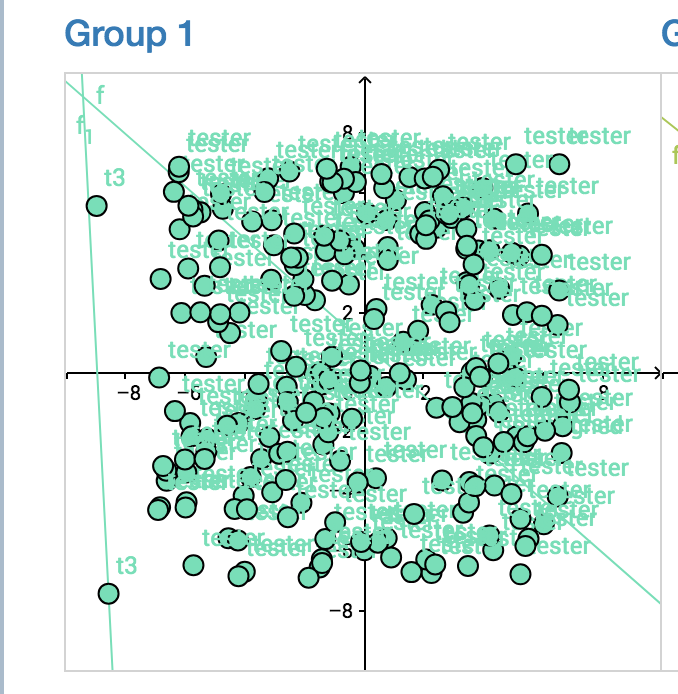
Step 4. Look at the Class View. (this is Group 1). Note the nearly vertical line is showing CORRECTLY as green-blue and with t3 as its point-owner.
Step 5. Change to merge view and live. Move one of the points on the line, as t3. Picture shows TWO problems. First, the line containing t3s point is now showing in dark pink. Second, the point that t3 just moved is correctly placed, but the point that was moved before the merge is no longer connected to the (now pink) line. So the line is drawn from the new point 3 to the original location of the other point in the activity (that's why the line is now diagonal).
Step 6. Now move the other point by t3. Note that the live view now has the line correctly positioned, but it is still dark pink.
Step 7. Now go back to the UNMERGED class view. Group 1 now again is all showing in green-blue, with t3s line correctly shown in that group. Steps 4-7 can be repeated at will.

Activity
cbradyatinquire commentedon Apr 20, 2019
This works as expected in mathnettest on Davis, when testing with one computer. A quick classroom test would be ideal, but I think it's ready to push to master/production
cbradyatinquire commentedon Apr 20, 2019
Here is a scenario to confirm we understand before closing this and pushing to Production.
Step 1. Create an activity from teacher. Get student ("tester") in group1. Send View To All.
Step 2. Run the Auto testing for a while, creating MANY points. Close the student (tester) window.
Step 3. Open 2 new students (t2 and t3) and put them in group 1. [Note, they do NOT get the points that "tester" has created - that is, they do not get the "current state" of Group1 (relates to a possible flaw in the Latecomer fix)]. Move the line with T3, to create a nearly vertical line that will stand out from the crowd.
Step 4. Look at the Class View. (this is Group 1). Note the nearly vertical line is showing CORRECTLY as green-blue and with t3 as its point-owner.
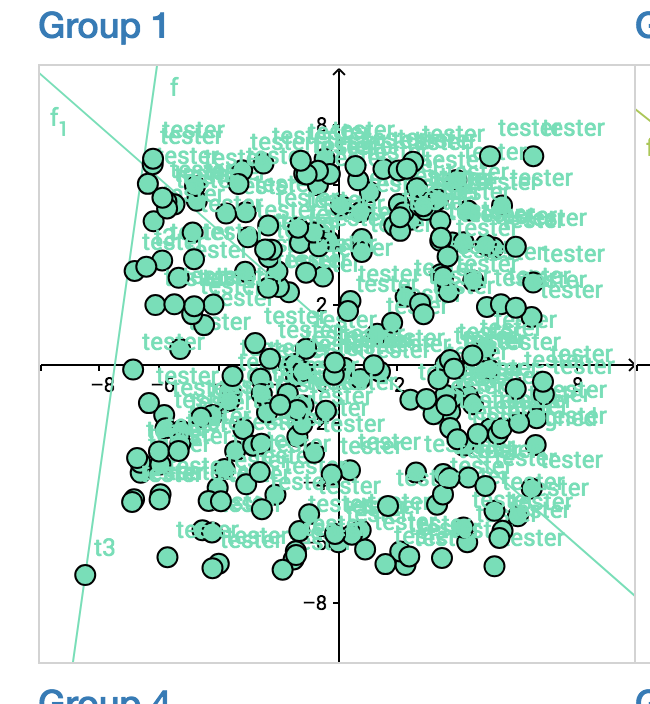
Step 5. Change to merge view and live. Move one of the points on the line, as t3. Picture shows TWO problems. First, the line containing t3s point is now showing in dark pink. Second, the point that t3 just moved is correctly placed, but the point that was moved before the merge is no longer connected to the (now pink) line. So the line is drawn from the new point 3 to the original location of the other point in the activity (that's why the line is now diagonal).
Step 6. Now move the other point by t3. Note that the live view now has the line correctly positioned, but it is still dark pink.
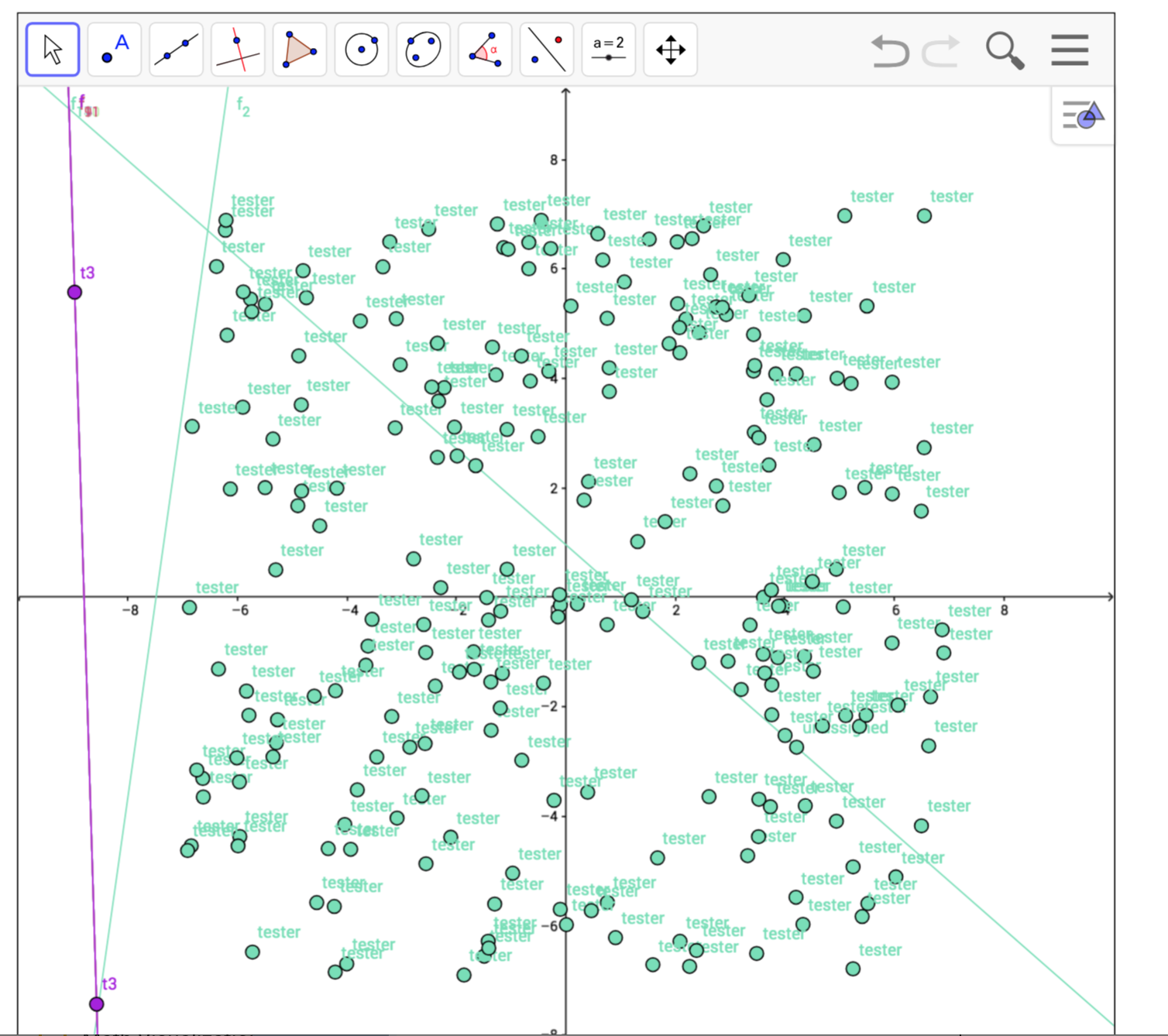
Step 7. Now go back to the UNMERGED class view. Group 1 now again is all showing in green-blue, with t3s line correctly shown in that group. Steps 4-7 can be repeated at will.