In this project I`ll try two paradighms.
-
Coffee detection via traditional image processing.
-
Training nerual network (NN) from TF2 detection model zoo.
In order to find out the coffee, let me show some examples of images I took on my camera. There are dozens of images, so I`ll show you just couple of them.
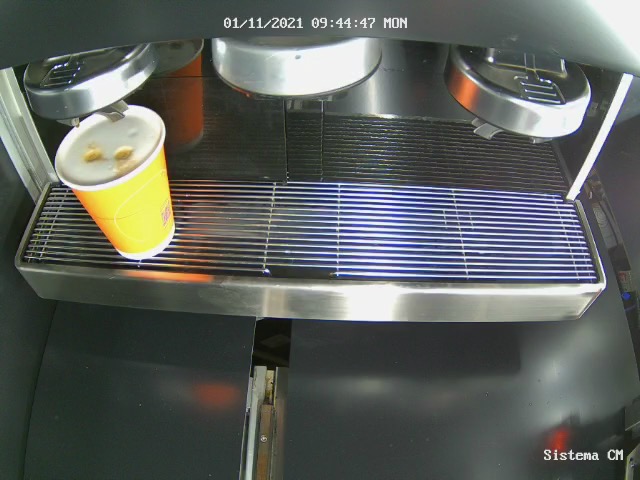
And this one
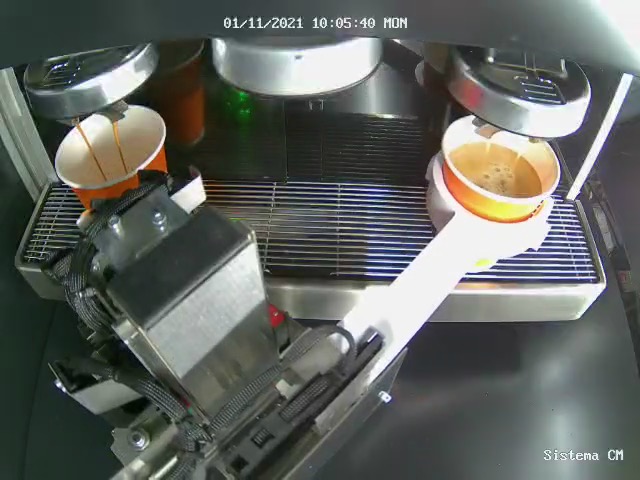
Okay, now we should determine the workflow for image processing. According the prior information about location of the cup, we can easily crop image to define region of interests (ROI) for both left and right cup. As we have several robotic coffee machines we have to set cropping parameters manualy for each machine. After this procedure we can apply diferrent filters and threshold to figure out coffee inside cup.
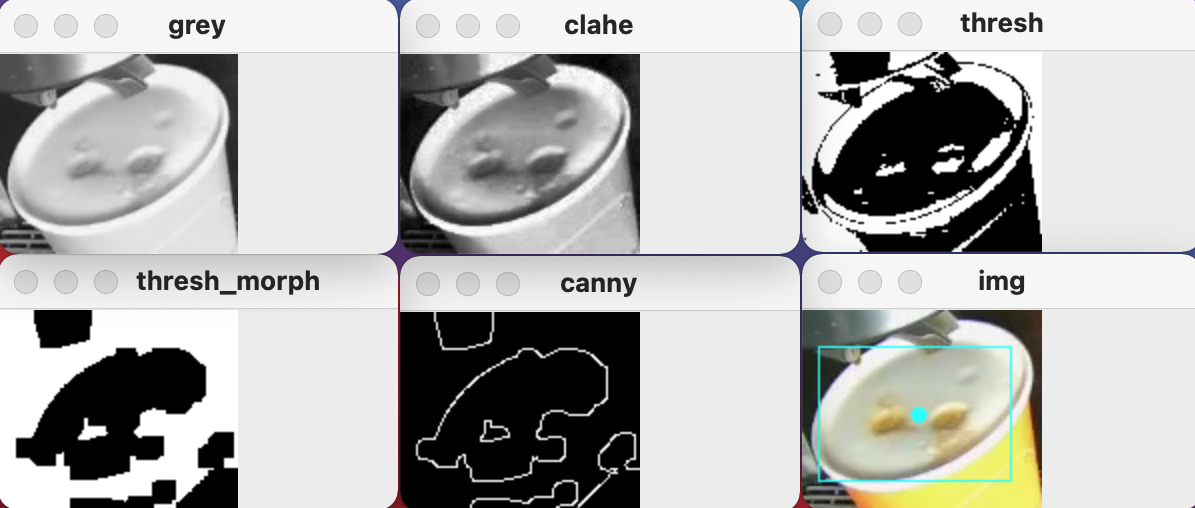
Workflow includes:
- Selecting coffee robotic machine
- Cropping images according camera location inside the machine for both left and right cup.
- Converting to greyscale
- Applying CLAHE transformation
- Applying threshold
- MORPH transformation
- Canny edge detection
- Finding connected components
- Filtering result
- Drawing rectangle over result
As far as we are going to use this algoritm on Raspberry PI, we should care about inference time. According this I chose ssd_mobilenet from TF2 Detection Model Zoo. Model perfect suits for cases where inference time is main criterion. Deploying a model means such stages as preparing dataset, training model, evaluating model on unseen data, quantizing weights and translating to Raspberry PI.
Generally, I can highlight workflow as follow:
- Collecting images for train, validation and test datasets.
- Labeling images (CVAT.org)
- Download pretrained NN.
- Change config file and train NN.
- Quantize weights.
- Deploy to Raspberry PI
The main part of each training process is to collect and standartize data. As for me, training dataset contains 184 images from diffferent coffee machines, light conditions and coffee types. All images was cropped according region of interests. Each image has shape of (100, 150, 3). Input tensor of ssd_mobilenet has shape of (1, 100, 150, 3). Test dataset includes about 50 images.
Now we have to label each image to provide tfrecords for deep learning model. I used CVAT.org for labeling images.
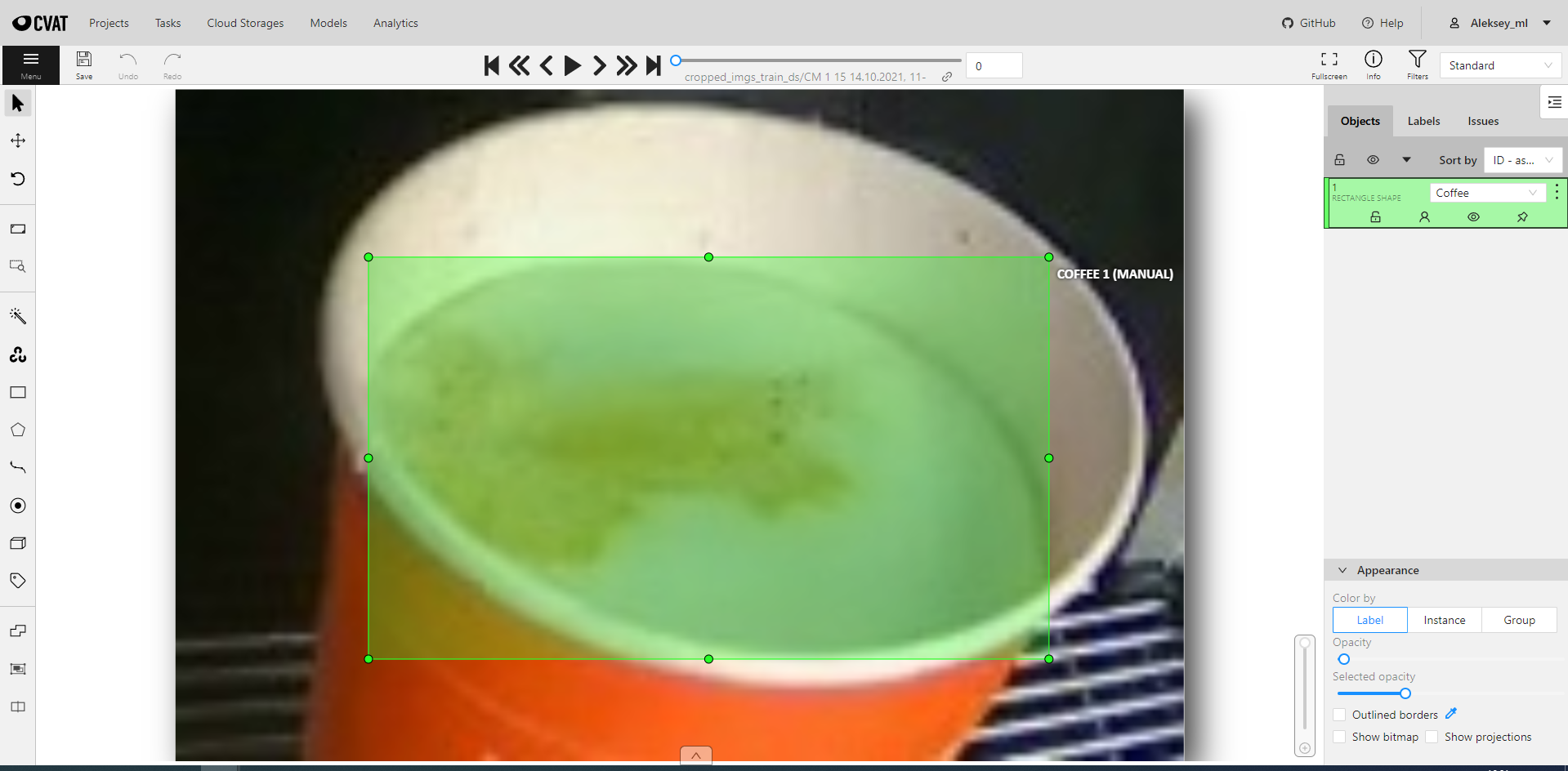
After labeling you can download annotations as tfrecords and use them for training model.
You can easily choose model that suits your preferences at TensorFlow 2 Detection Model Zoo I took ssd_mobilenet for fastest inference on Raspberry PI.
All training process described in this tutorial.
In order to provide training on small-sized images, we have to add pad_to_multiple: 32 in the config file 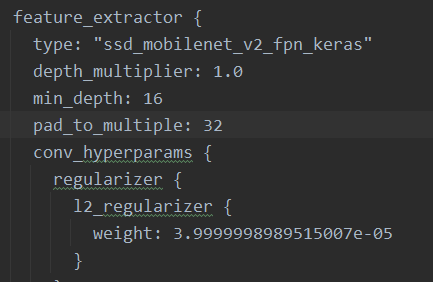
After importing model, we want to run it on Raspberry PI. It is possible to reduce model size by quantization it's weights. The simplest form of post-training quantization statically quantizes only the weights from floating point to integer, which has 8-bits of precision:
import tensorflow as tf

converter = tf.lite.TFLiteConverter.from_saved_model('saved_model/')
converter.experimental_new_converter = True
converter.target_spec.supported_ops =[tf.lite.OpsSet.TFLITE_BUILTINS, tf.lite.OpsSet.SELECT_TF_OPS]
tflite_model = converter.convert()

with open('my_tflite_model.tflite', 'wb') as f:
f.write(tflite_model)Using tflite interpreter we can inference model on Raspberry PI. Check the code!