Skip to content

Fix negative Total after moving an IOU report to a workspace - #100535

Draft
MelvinBot wants to merge 2 commits into
mainfrom
claude-negateIouTotalsOnWorkspaceChange
Draft

Fix negative Total after moving an IOU report to a workspace#100535
MelvinBot wants to merge 2 commits into
mainfrom
claude-negateIouTotalsOnWorkspaceChange

Conversation

@MelvinBot

Copy link
Copy Markdown
Contributor

Explanation of Change

Moving an IOU report to a workspace showed the Total as a negative amount (-$100.00).

IOU reports store their totals positive; expense reports store them negative. When converting an IOU report to an expense report, the optimistic report object negated total but left the sibling total columns — reimbursableTotal, nonReimbursableTotal, unheldTotal, unheldReimbursableTotal, unheldNonReimbursableTotal — riding along unchanged from the spread, still positive.

Every Total on screen comes from getMoneyRequestSpendBreakdown, which prefers the stale reimbursableTotal over total via getReimbursableTotal, then negates it because the report is now an expense report. For a $100 IOU: total becomes -10000 (correct), reimbursableTotal stays +10000, so the breakdown returns 10000 * -1 = -10000-$100.00.

The change: a new getNegatedReportTotals() helper in ReportUtils flips the whole family of total columns together, and both conversion sites now use it instead of negating total alone:

The helper only writes columns the report actually carries, so absent ones keep being derived from total by the existing fallback. This matches what the sibling expense-report flows already do in buildOptimisticChangePolicyData and what IOUUtils does when an IOU flips owner.

This also fixes the same stale-total read on the other surfaces: the Search table Total, the report transaction list Total row, the report preview total, the Pay/Approve button amount, and sorting by Total in Search.

Why native only flashed the negative value while web appeared to keep it

There is no successData entry for the report key, so only the server response repairs the totals — on native the bad value is visible for exactly one round trip. On web, convertIOUReportToExpenseReport pushes no SNAPSHOT optimistic update and the page calls refreshSearch() instead, so if the MoveIOUReportToExistingPolicy response omits reimbursableTotal, the Onyx MERGE keeps the stale positive value for longer. The client-side fix is correct either way.

AI tests run locally (all passed): npm run typecheck, npm run lint-changed, npm run spell-changed, and npm test over tests/actions/ReportTest.ts, tests/actions/PolicyTest.ts, tests/unit/ReportUtilsTest.ts (1815 tests). No prettier script exists in this repo — formatting is enforced through ESLint, which passed.

A new unit test in tests/actions/ReportTest.ts asserts that every total column flips sign and that getMoneyRequestSpendBreakdown(...).totalDisplaySpend comes back positive after conversion.

⚠️ I could not verify this in a live browser — the automated web test session came up blank (0 accessibility nodes) and never reached Home, so the flow below still needs a human pass.

Fixed Issues

$ #97759
PROPOSAL: #97759 (comment)

Tests

// TODO: The human co-author must fill out the tests you ran before marking this PR as "ready for review".
// Please describe what tests you performed that validate your change worked.
//
// Suggested starting point (from the linked issue, not yet run live by Melvin):
// 1. Create 2 expenses in a 1:1 conversation with another user.
// 2. Open the IOU report details.
// 3. Click More > "Change Workspace" and select any workspace.
// 4. Verify the Total on the table shows a positive amount, with no negative flash on native.

  • Verify that no errors appear in the JS console

Offline tests

QA Steps

// TODO: The human co-author must fill out the QA tests you ran before marking this PR as "ready for review".
// These must be filled out, or the issue title must include "[No QA]."
// Please describe what QA needs to do to validate your changes and what areas they need to test for regressions.

  • Verify that no errors appear in the JS console

PR Author Checklist

  • I linked the correct issue in the ### Fixed Issues section above
  • I wrote clear testing steps that cover the changes made in this PR
    • I added steps for local testing in the Tests section
    • I added steps for the expected offline behavior in the Offline steps section
    • I added steps for Staging and/or Production testing in the QA steps section
    • I added steps to cover failure scenarios (i.e. verify an input displays the correct error message if the entered data is not correct)
    • I turned off my network connection and tested it while offline to ensure it matches the expected behavior (i.e. verify the default avatar icon is displayed if app is offline)
    • I tested this PR with a High Traffic account against the staging or production API to ensure there are no regressions (e.g. long loading states that impact usability).
  • I included screenshots or videos for tests on all platforms
  • I ran the tests on all platforms & verified they passed on:
    • Android: Native
    • Android: mWeb Chrome
    • iOS: Native
    • iOS: mWeb Safari
    • MacOS: Chrome / Safari
  • I verified there are no console errors (if there's a console error not related to the PR, report it or open an issue for it to be fixed)
  • I followed proper code patterns (see Reviewing the code)
    • I verified that comments were added to code that is not self explanatory
    • I verified that any new or modified comments were clear, correct English, and explained "why" the code was doing something instead of only explaining "what" the code was doing.
    • I verified any copy / text that was added to the app is grammatically correct in English. It adheres to proper capitalization guidelines (note: only the first word of header/labels should be capitalized), and is either coming verbatim from figma or has been approved by marketing (in order to get marketing approval, ask the Bug Zero team member to add the Waiting for copy label to the issue)
  • If a new code pattern is added I verified it was agreed to be used by multiple Expensify engineers
  • I followed the guidelines as stated in the Review Guidelines
  • I tested other components that can be impacted by my changes (i.e. if the PR modifies a shared library or component like Avatar, I verified the components using Avatar are working as expected)
  • If a new CSS style is added I verified that:
    • A similar style doesn't already exist
    • The style can't be created with an existing StyleUtils function (i.e. StyleUtils.getBackgroundAndBorderStyle(theme.componentBG))
  • If new assets were added or existing ones were modified, I verified that:
    • The assets are optimized and compressed (for SVG files, run npm run compress-svg)
    • The assets load correctly across all supported platforms.
  • If the PR modifies code that runs when editing or sending messages, I tested and verified there is no unexpected behavior for all supported markdown - URLs, single line code, code blocks, quotes, headings, bold, strikethrough, and italic.
  • If the PR modifies a generic component, I tested and verified that those changes do not break usages of that component in the rest of the App (i.e. if a shared library or component like Avatar is modified, I verified that Avatar is working as expected in all cases)
  • If the PR modifies a component related to any of the existing Storybook stories, I tested and verified all stories for that component are still working as expected.
  • If the PR modifies a component or page that can be accessed by a direct deeplink, I verified that the code functions as expected when the deeplink is used - from a logged in and logged out account.
  • If the PR modifies the UI (e.g. new buttons, new UI components, changing the padding/spacing/sizing, moving components, etc) or modifies the form input styles:
    • I verified that all the inputs inside a form are aligned with each other.
    • I added Design label and/or tagged @Expensify/design so the design team can review the changes.
  • I added unit tests for any new feature or bug fix in this PR to help automatically prevent regressions in this user flow.
  • If the main branch was merged into this PR after a review, I tested again and verified the outcome was still expected according to the Test steps.

Screenshots/Videos

Android: Native
Android: mWeb Chrome
iOS: Native
iOS: mWeb Safari
MacOS: Chrome / Safari

…pense report

Co-authored-by: Abdelrahman Khattab <abzokhattab@users.noreply.github.com>
@MelvinBot
MelvinBot requested a review from a team September 7, 2026 15:33
@melvin-bot melvin-bot Bot added Melvin-Test-Android Melvin-Test-Web Triggers Melvin to run the testing steps of the PR on web labels Sep 7, 2026
@MelvinBot

Copy link
Copy Markdown
Contributor Author

I created this PR from an upstream branch since I don't have push access to your fork.

To take ownership of this branch and be able to push updates, run:

git remote add upstream https://github.com/Expensify/App.git
git fetch upstream claude-negateIouTotalsOnWorkspaceChange
git checkout -b claude-negateIouTotalsOnWorkspaceChange upstream/claude-negateIouTotalsOnWorkspaceChange
git push -u origin claude-negateIouTotalsOnWorkspaceChange

Then you can close this PR and open a new one from your fork.

Co-authored-by: Abdelrahman Khattab <abzokhattab@users.noreply.github.com>
@MelvinBot

Copy link
Copy Markdown
Contributor Author

Fixed and pushed as 995db0b. Every check now passes except Check independent approval, which just needs a human reviewer.

What was failing: Oxfmt check only. Two lines I wrote in the last commit exceeded the print width, so oxfmt --write . wanted to wrap them and CI flagged the diff.

  • getNegatedReportTotals's signature in src/libs/ReportUtils.ts — the long Pick<...> return type now wraps onto its own line.
  • The isReportMergeUpdate boolean chain in tests/actions/ReportTest.ts — the four && conditions now sit one per line.

Both are pure whitespace. No logic changed.

Verification
  • Ran npm run fmt, committed exactly its output, then re-ran it and got a byte-identical diff — stable, not a rewrap that reappears next run.
  • npm run typecheck — passed (all 5 tsconfigs).
  • npm test tests/actions/ReportTest.ts tests/unit/ReportUtilsTest.ts — 1602 passed, 0 failed.
  • ESLint could not run in my environment (the Node process OOMs on this repo's full config). CI's ESLint check passes on the new commit, which covers it.
  • Check independent approval was already failing before my push and is unrelated to the code — it's the gate for a review from someone other than the author.

@MelvinBot

MelvinBot commented Sep 7, 2026

Copy link
Copy Markdown
Contributor Author

🤖 Android test steps verification results: ❌ fail

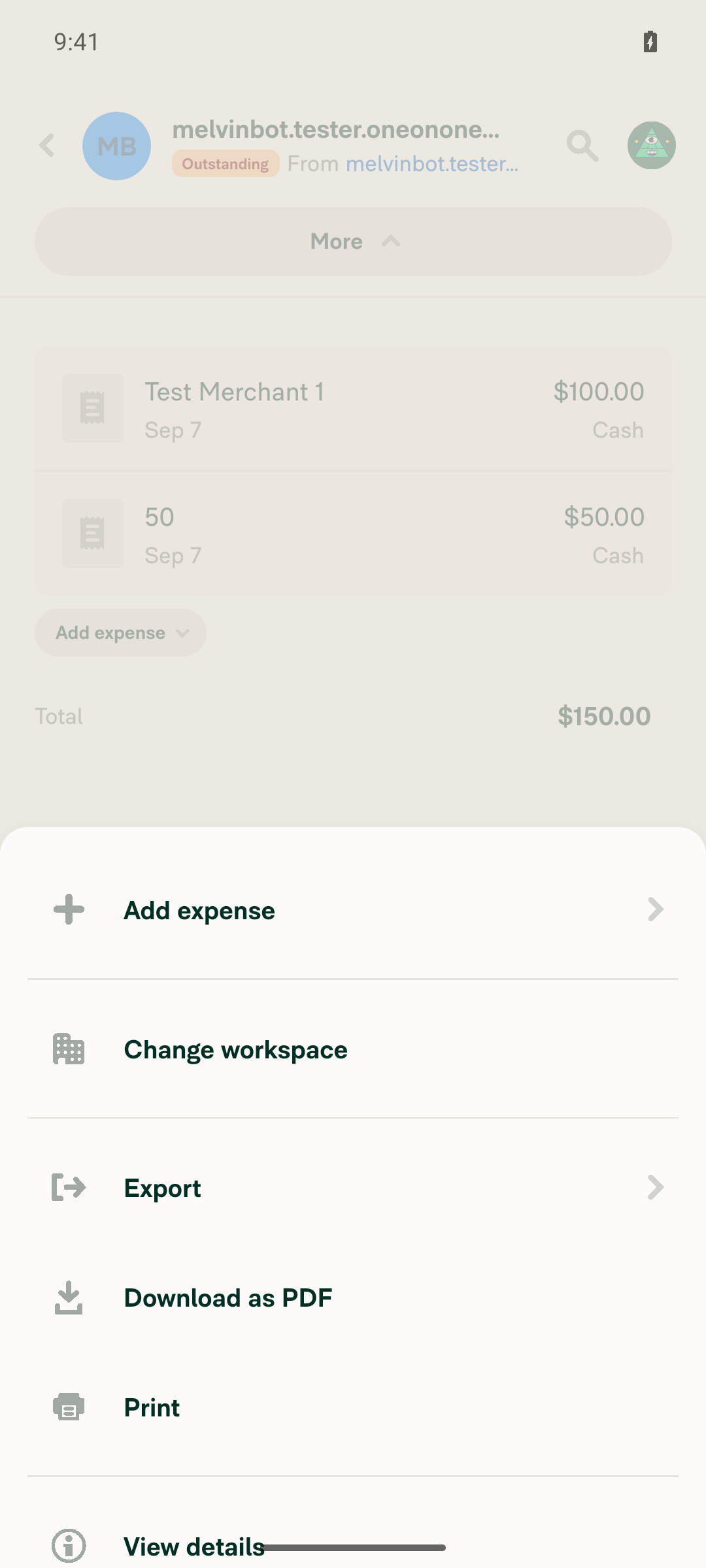
Created 2 expenses in a 1:1 chat and confirmed the IOU report total displays as a positive $150.00 (steps 1-2 pass). However, tapping "Change workspace" in the report's More menu (step 3) froze the app completely — no further touch input was accepted (confirmed via raw ADB taps bypassing agent-device), blocking verification of step 4 (the total staying positive during and after the workspace move).

App frozen on the More menu ~1 minute after tapping Change workspace

Step Status
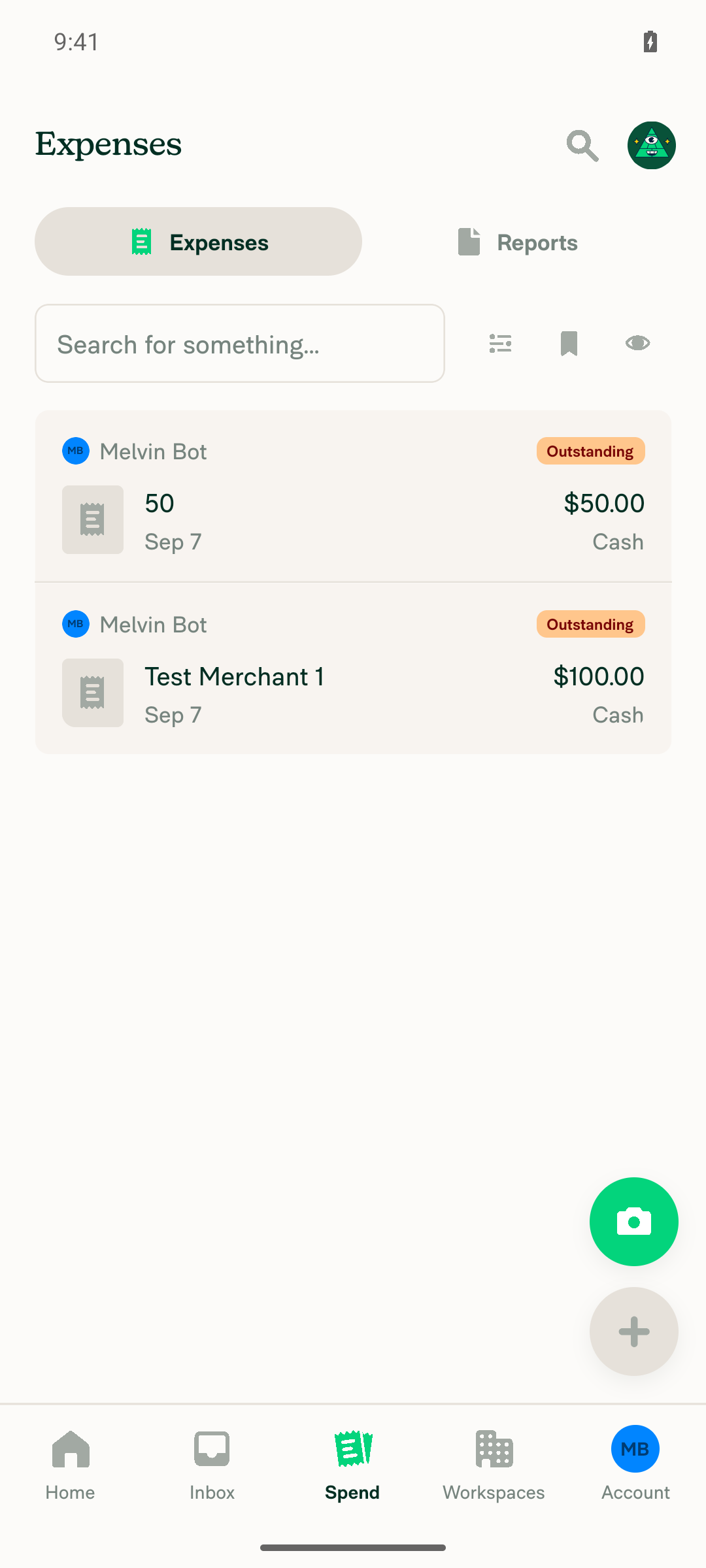
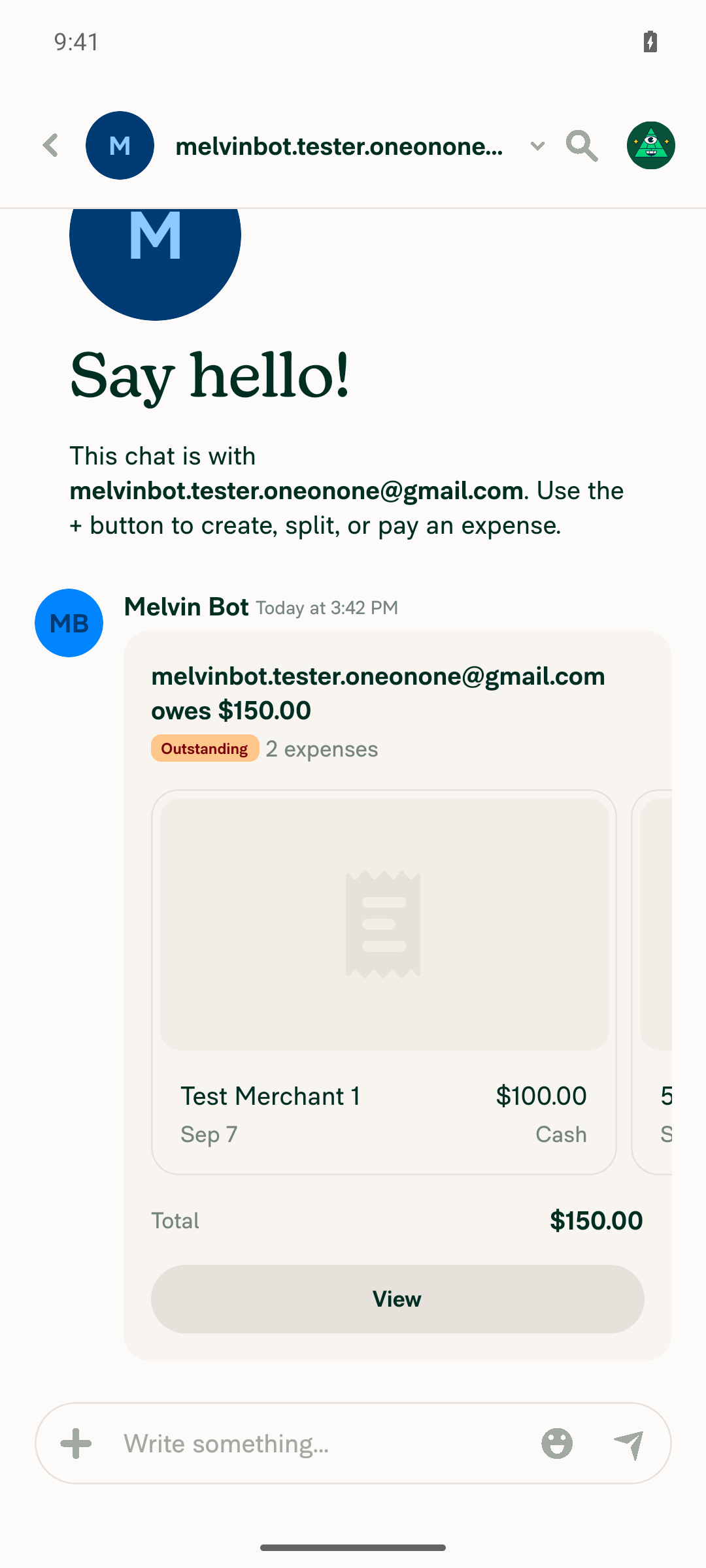
Create 2 expenses in a 1:1 conversation with another user (not a workspace)Created a manual $100.00 expense (Test Merchant 1) and a $50.00 expense to a new 1:1 contact. The 1:1 chat preview shows "2 expenses", Total $150.00, Outstanding.
Spend > Expenses list showing both the $50.00 and $100.00 expenses1:1 chat IOU preview: 2 expenses, Total $150.00 positive
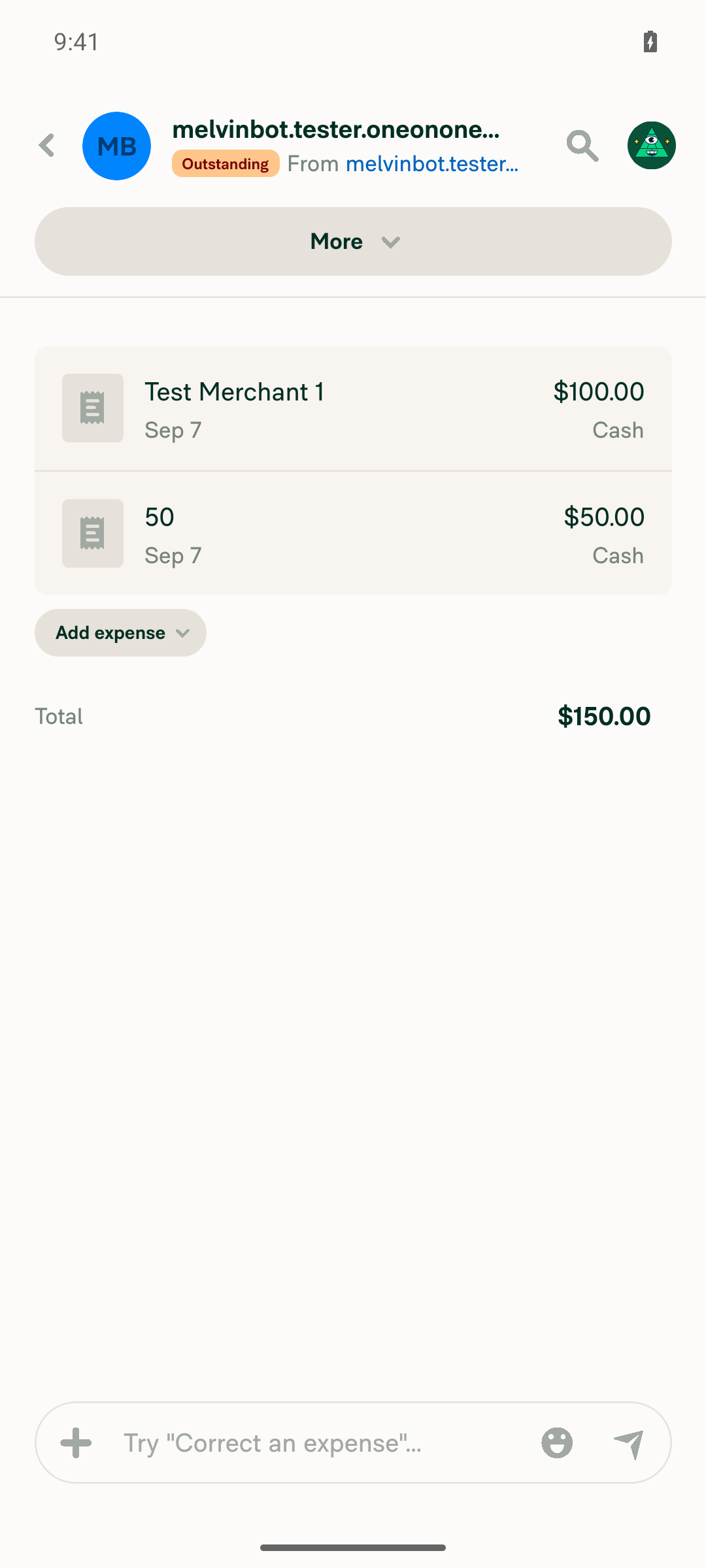
Open the IOU report details for that 1:1 reportTapped "View" on the IOU preview card and landed on the report page listing both expenses with Total $150.00 (positive), an "Outstanding" status chip, and a "More" dropdown.
IOU report details page with both expenses and Total $150.00
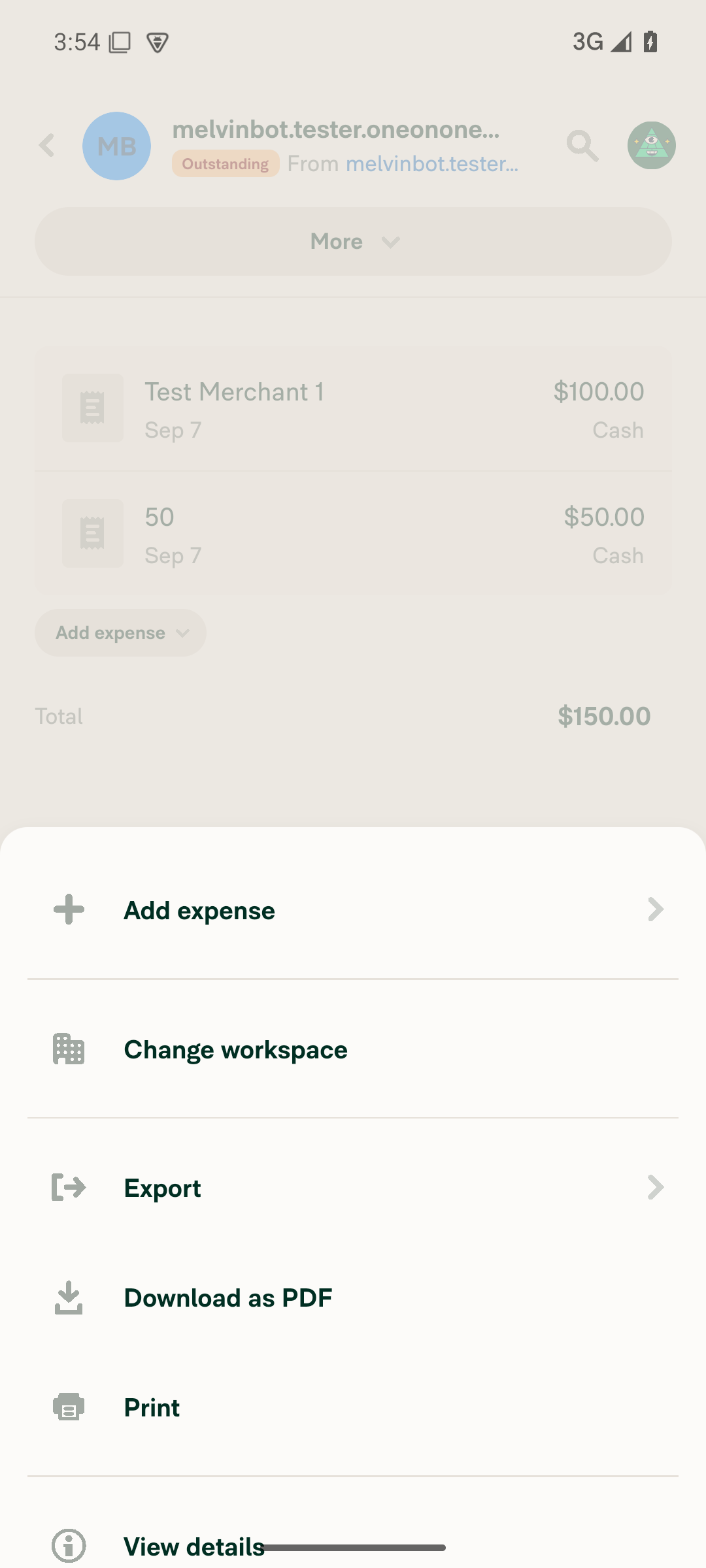
Open More > "Change workspace" and select any workspaceThe account initially had no workspace, so "Change workspace" was absent from the More menu; created a workspace to make the option available, and it then appeared correctly. However, tapping "Change workspace" froze the entire app: no menu, screen, or workspace picker ever appeared, and all further touch input stopped registering. Confirmed with raw adb shell input tap/keyevent 4 (bypassing agent-device entirely) and with dumpsys gfxinfo, which showed 0 new frames rendered after the tap while the JS thread kept running (Pusher pings continued in logcat) — i.e. a native UI-thread hang, not a JS crash or test-tooling issue. Waited ~1 minute with repeated taps; the freeze did not resolve.
More menu showing the Change workspace optionApp frozen on the More menu ~1 minute after tapping Change workspace
Total on the report/table is a positive amount, with no negative amount flashing during or after the moveCould not be verified: the app became fully unresponsive immediately upon selecting "Change workspace" (see previous step), before any workspace-selection screen or move confirmation rendered, so the move never completed and no post-move total could be observed. Before the move attempt, the total was correctly positive ($150.00).

view run · view recording

@MelvinBot

MelvinBot commented Sep 7, 2026

Copy link
Copy Markdown
Contributor Author

🤖 Web test steps verification results: ❌ fail

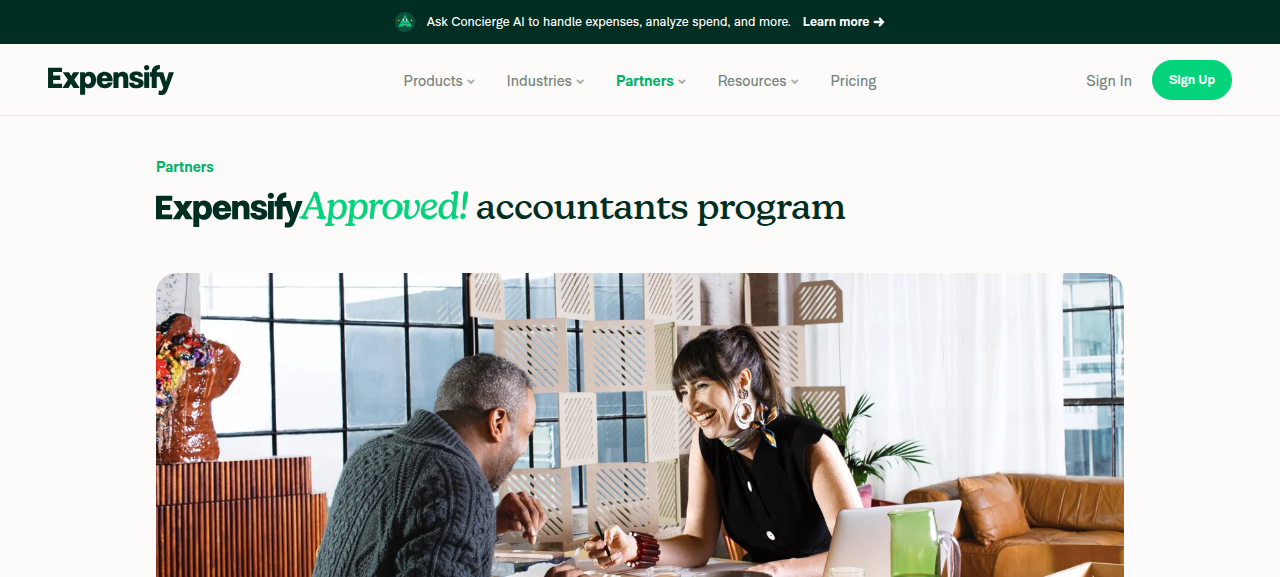
Session was lost to an off-app navigation (expensify.com marketing site) while still on step 1 (choosing the 1:1 recipient for the first expense), before any expense could be created; steps 2-4 were never reached. This is a test-harness failure, not evidence about the code in this PR — the flow this PR touches was never exercised on web, so the web pass still needs a re-run.

Session navigated off the app to the public expensify.com Partners marketing page, confirming session loss

Step Status
Step 1: Create 2 expenses in a 1:1 conversation with another userReached the "Create expense" > Manual tab and selected a new individual recipient via the Choose Recipient dialog, but before the amount/merchant could be filled in and the expense submitted, an unexpected "Referral" panel appeared over the form. Clicking its apparent "Back" control instead navigated the whole session off the app to the public "ExpensifyApproved!" marketing page on expensify.com — the snapshot shows Sign In/Sign Up links and no app chrome. No expense was created. Navigating to expensify.com drops the web session unrecoverably, so the run stopped there rather than attempting recovery; I re-snapshotted afterwards and confirmed the page was still off-app.
Session navigated off the app to the public expensify.com Partners marketing page, confirming session loss
Step 2: Open the IOU report details for the 1:1 reportNot reached; no expense/report existed yet when the session was lost.
Step 3: Open More > "Change workspace" and select any workspaceNot reached; blocked by session loss in step 1.
Step 4: Total shown is a POSITIVE amount, with no negative amount appearing during or after the moveNot reached; blocked by session loss in step 1.

view run · view recording

Sign up for free to join this conversation on GitHub. Already have an account? Sign in to comment

Labels

Melvin-Test-Android Melvin-Test-Web Triggers Melvin to run the testing steps of the PR on web

Projects

None yet

Development

Successfully merging this pull request may close these issues.

2 participants