Repository navigation
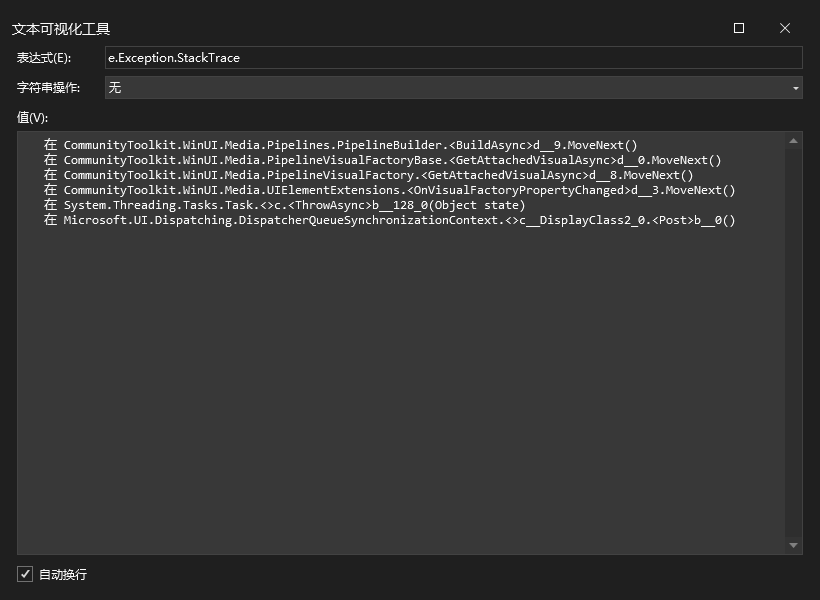
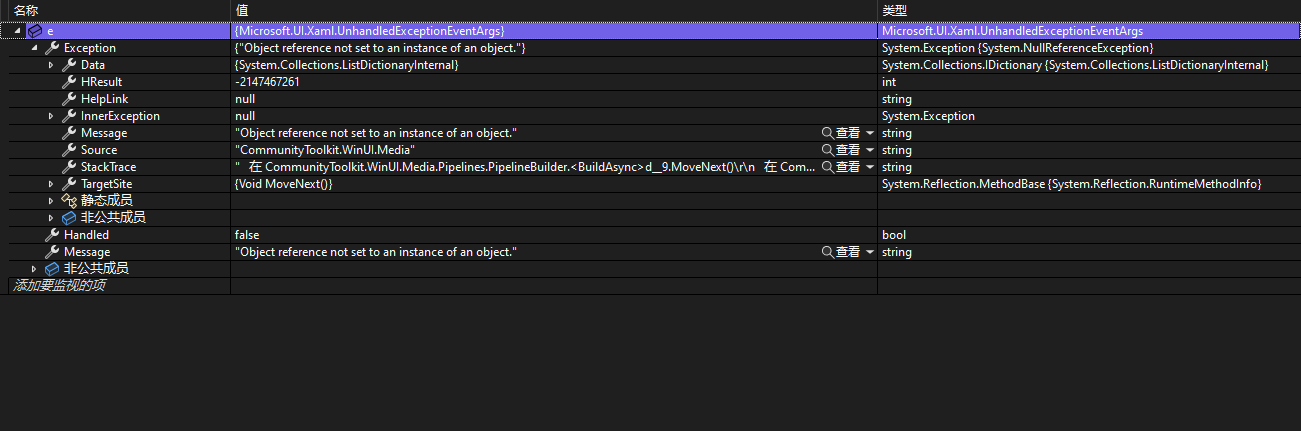
PipelineBuilder throw a NullReferenceException #235

Description

Describe the bug
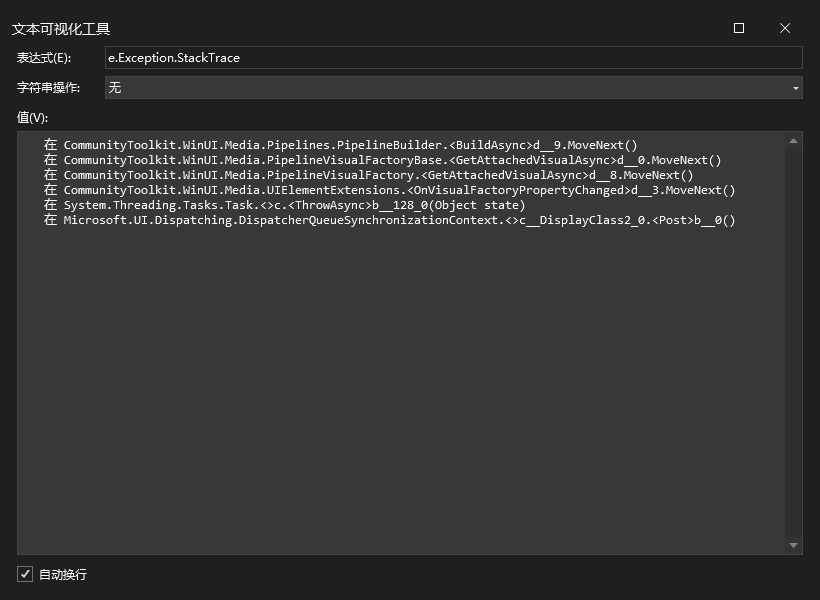
I copied sample code from BlurEffectAnimation to my project.Then it throw a NullReferenceException when i run my winui3 application.
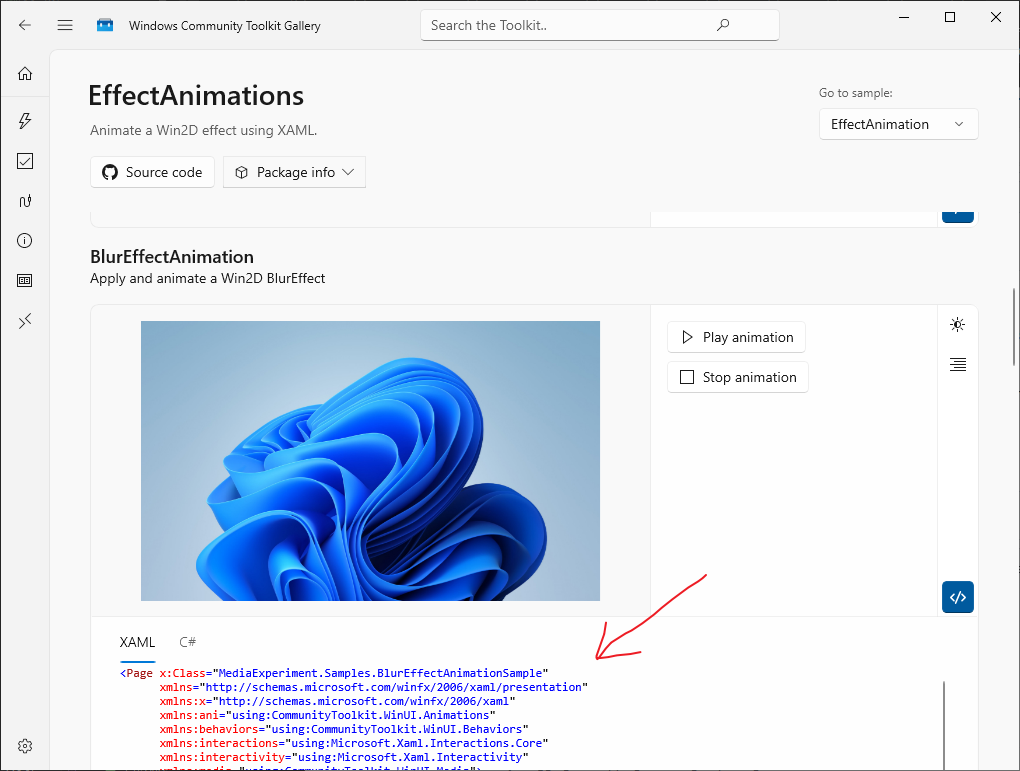
Steps to reproduce
Copy sample code to MainWindow.xaml and run application

<?xml version="1.0" encoding="utf-8"?>
<Window
    x:Class="BlurTest.MainWindow"
    xmlns="http://schemas.microsoft.com/winfx/2006/xaml/presentation"
    xmlns:x="http://schemas.microsoft.com/winfx/2006/xaml"
    xmlns:local="using:BlurTest"
    xmlns:d="http://schemas.microsoft.com/expression/blend/2008"
    xmlns:mc="http://schemas.openxmlformats.org/markup-compatibility/2006"
    mc:Ignorable="d"
      xmlns:ani="using:CommunityToolkit.WinUI.Animations"
      xmlns:behaviors="using:CommunityToolkit.WinUI.Behaviors"
      xmlns:interactions="using:Microsoft.Xaml.Interactions.Core"
      xmlns:interactivity="using:Microsoft.Xaml.Interactivity"
      xmlns:media="using:CommunityToolkit.WinUI.Media">
    <Grid>
        <Border Height="280">
            <Image VerticalAlignment="Center"
               Source="ms-appx:///Assets/StoreLogo.png" />

            <media:UIElementExtensions.VisualFactory>
                <media:PipelineVisualFactory>
                    <media:BlurEffect x:Name="ImageBlurEffect"
                                  IsAnimatable="True" />
                </media:PipelineVisualFactory>
            </media:UIElementExtensions.VisualFactory>

            <ani:Explicit.Animations>
                <ani:AnimationSet x:Name="BlurAnimation"
                              IsSequential="True">
                    <ani:BlurEffectAnimation EasingMode="EaseOut"
                                         EasingType="Linear"
                                         Target="{x:Bind ImageBlurEffect}"
                                         From="0"
                                         To="8"
                                         Duration="0:0:3" />

                    <ani:BlurEffectAnimation EasingMode="EaseOut"
                                         EasingType="Linear"
                                         Target="{x:Bind ImageBlurEffect}"
                                         From="8"
                                         To="0"
                                         Duration="0:0:3" />
                </ani:AnimationSet>
            </ani:Explicit.Animations>

            <interactivity:Interaction.Behaviors>
                <interactions:EventTriggerBehavior EventName="Loaded">
                    <behaviors:StartAnimationAction Animation="{x:Bind BlurAnimation}" />
                </interactions:EventTriggerBehavior>
            </interactivity:Interaction.Behaviors>
        </Border>

    </Grid>
</Window>
### Expected behavior
MainWindow play blur animation after start.
### Screenshots


### Code Platform
- [ ] UWP
- [X] WinAppSDK / WinUI 3
- [ ] Web Assembly (WASM)
- [ ] Android
- [ ] iOS
- [ ] MacOS
- [ ] Linux / GTK
### Windows Build Number
- [ ] Windows 10 1809 (Build 17763)
- [ ] Windows 10 1903 (Build 18362)
- [ ] Windows 10 1909 (Build 18363)
- [ ] Windows 10 2004 (Build 19041)
- [ ] Windows 10 20H2 (Build 19042)
- [ ] Windows 10 21H1 (Build 19043)
- [ ] Windows 10 21H2 (Build 19044)
- [X] Windows 10 22H2 (Build 19045)
- [ ] Windows 11 21H2 (Build 22000)
- [ ] Other (specify)
### Other Windows Build number
_No response_
### App minimum and target SDK version
- [ ] Windows 10, version 1809 (Build 17763)
- [ ] Windows 10, version 1903 (Build 18362)
- [ ] Windows 10, version 1909 (Build 18363)
- [X] Windows 10, version 2004 (Build 19041)
- [ ] Windows 10, version 2104 (Build 20348)
- [ ] Windows 11, version 22H2 (Build 22000)
- [ ] Other (specify)
### Other SDK version
_No response_
### Visual Studio Version
2022
### Visual Studio Build Number
_No response_
### Device form factor
Desktop
### Additional context
_No response_
### Help us help you
Yes, I'd like to be assigned to work on this item.
Metadata
Metadata
Assignees
Type
Projects
- Status
Activity
zou-z commentedon Sep 12, 2023
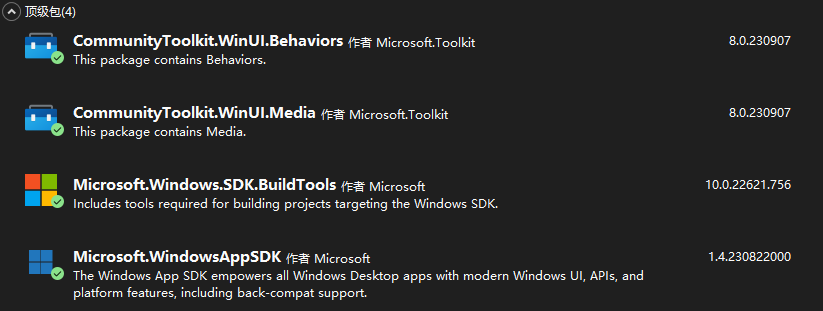
Screenshots
michael-hawker commentedon Sep 19, 2023
@zou-z can you try putting everything in a
Pageover in the rootWindow? As I may guess that the x:Bind may not be working? See microsoft/microsoft-ui-xaml#4966This template could help with that to also compare against UWP: https://github.com/michael-hawker/WinUI2Plus3Template
zou-z commentedon Sep 20, 2023
I tried, but it still didn't work and the same error occurred.I even deleted the x:Bind
Cornmarket commentedon Sep 21, 2023
I have a similar issue in a winui project #238
Marv51 commentedon Oct 16, 2023
I think this might be caused by calls to "Window.Current.Compositor". In the PipelineBuilder.cs file I fould 3 instances. That does not work in WinUI 3. I think this is the same bug as #233.
The spots i am talking about are:
Windows/components/Media/src/Pipelines/PipelineBuilder.cs
Lines 172 to 174 in 82eb9a9
Windows/components/Media/src/Pipelines/PipelineBuilder.cs
Line 194 in 82eb9a9
michael-hawker commentedon Oct 16, 2023
Looks like this was missed in porting. @Arlodotexe can you compare against the old branch, seems like updating the Compositor wasn't brought over for WinUI 3 in a few places now, see for instance:
https://github.com/CommunityToolkit/WindowsCommunityToolkit/blob/080bdb99e6810eb2157ad635f00e64a64acabb50/CommunityToolkit.WinUI.UI.Media/Pipelines/PipelineBuilder.cs#L170-L172