
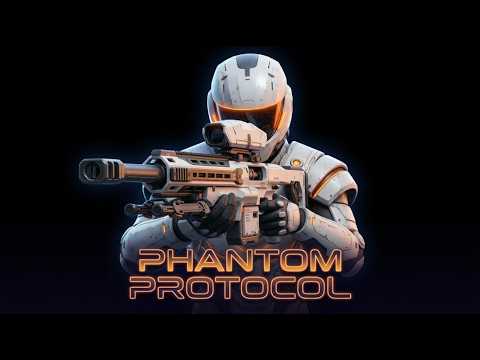
Click to watch the gameplay video on YouTube.
Phantom Protocol is a co-located, two-player mixed reality arena game for Meta Quest 3. Both players stand in the same real room with passthrough on: the host scans the room, builds an arena inside it (spawn points, cover, weapon spawns, flag bases), and every placed object appears at the same physical spot for both headsets via shared spatial anchors. An Arduino GPS rig feeds real-world position into the match, driving a satellite bombardment mechanic anchored to real GPS coordinates.
- Three game modes - Deathmatch, Team Deathmatch and Capture the Flag (first to 3 captures or highest score at timer end).
- Host-authored arena - the host scans the room using Quest Space Setup data, drags the arena bounds inside the real walls, then places spawn points, cover blocks, random weapon spawns and flag bases. Placement is validated so a match can't start without the minimum items for its mode.
- Shared spatial anchor co-location - each headset's XR Origin is realigned (yaw-only) so a Meta shared anchor sits at world origin, making Unity world space physically identical on every device.
- GPS-anchored satellite bombardment - satellite POIs pinned to real latitude/longitude fire rocket bombs into the arena; a GPS-driven safe zone decides who is exposed. Live GPS comes from the Arduino uplink, with a simulated source for desktop testing.
- Weapons - physical XRI grabbables: Pistol (default), SMG, Shotgun, Sniper and Grenade/Bomb. Per-magazine ammo with reload time matched to the reload sound; host-authoritative hit validation.
- Ghost-mode respawn - dead players walk back to their own spawn point to respawn; anti-cheat blocks shooting for 5 s after a player's head leaves an obstacle or real wall.
| Component | Version |
|---|---|
| Unity | 6000.3.12f1 |
| XR Interaction Toolkit | 3.4.1 |
| AR Foundation | 6.4.1 |
Unity OpenXR: Meta (com.unity.xr.meta-openxr) |
2.5.0 |
| OpenXR Plugin | 1.16.1 |
| Netcode for GameObjects | 2.13.1 |
| Multiplayer Services (Relay / Lobby) | 2.3.0 |
| Universal Render Pipeline | 17.3.0 |
Built on Unity's Mixed Reality template.
- 2x Meta Quest 3 / 3S (Enhanced Spatial Services enabled for anchor sharing)
- A PC with Unity for building, and USB-C cable / Meta Quest Link for deploy
- A 2.4 GHz Wi-Fi network shared by both headsets and the Arduino
- GPS uplink rig (optional - a simulated GPS source is used without it):
- Arduino UNO R4 WiFi
- u-blox NEO-6M GPS module
- SSD1306 128x64 I2C OLED
- Clone the repo and add the folder in Unity Hub (Add > Add project from disk). Open with Unity 6000.3.12f1 with Android Build Support.
- Import the excluded third-party assets (see below). Without them the project still compiles, but some effects, sounds and materials will show as missing.
- Copy
Tools/GpsPois/PhantomPois.example.assettoAssets/PhantomProtocol/Resources/PhantomPois.assetand edit the POI coordinates in the Inspector for your location. The real file is gitignored so your coordinates never get committed. - File > Build Profiles: switch to Android / Meta Quest, add the main scene, then Build And Run with a headset connected.
- Install the same build on the second headset. One player chooses Create Game and shares the join code; the other chooses Join Game.
The sketch lives in Tools/Arduino/PhantomGps/.
-
In the Arduino IDE install the Arduino UNO R4 Boards package and the libraries TinyGPSPlus, Adafruit GFX and Adafruit SSD1306.
-
Copy
arduino_secrets.example.htoarduino_secrets.hin the same folder and fill in your Wi-Fi name and password:#define SECRET_SSID "your-2.4GHz-ssid" #define SECRET_PASS "your-wifi-password"
arduino_secrets.his gitignored - never commit it. The UNO R4 radio is 2.4 GHz only. -
Wire it up (also documented at the top of the sketch):
Module Arduino NEO-6M TX / RX pin 0 (Serial1 RX) / pin 1 (Serial1 TX) NEO-6M VCC / GND 5V / GND OLED SDA / SCL SDA / SCL (or A4 / A5) OLED VCC / GND 3.3V / GND -
Upload
PhantomGps.ino. The board finds the game host automatically by listening for its UDP discovery beacon on port 49501, then streams GPS telemetry to port 49500 at 10 Hz. To skip discovery, setMANUAL_HOST_IPin the sketch.
Tools/Analysis/gps_analysis.py (standard-library Python) recomputes latency
statistics from the CSVs the in-Editor measurement recorder writes.
These are not in the repo because they can't be redistributed publicly.
Import them into Assets/ at the listed path to restore the full visuals and
audio.
| Asset | Expected path | Where to get it |
|---|---|---|
| Unique Sci-Fi Pack Vol. 1 - Gabriel Aguiar Prod. (paid) | Assets/GabrielAguiarProductions/ |
Unity Asset Store |
| Hologram VFX URP - Sekochi Games | Assets/Holograms/ |
Unity Asset Store (search "Hologram VFX URP" by Sekochi Games) |
| Sound effects (flashbang, heal, rocket launcher, magic) | Assets/*.mp3 |
Not redistributable - substitute any similar SFX and reassign them in Resources/PhantomSfx |
Free assets included in the repo, under their own licences: Unity Particle
Pack, Greeble Materials (Brandon Gillespie) and Sci-fi Guns SFX Pack (Mikael
Vanninen), all from the Unity Asset Store. Prop and weapon models in the
futuristic ... / sci-fi ... folders were generated with Tripo.